


The best AI programs for school students let children try AI, not just read about it. In 2026, the easiest free starting points are Google Teachable Machine, Machine Learning for Kids, Code.org and MIT Day of AI. This guide explains each program in simple words, which age it suits, what it costs and how to keep your child safe while learning. It also shows how India’s new school AI plans fit in.
Quick answer
- Best first try (ages 8+): Google Teachable Machine. Free, runs in your browser and a child can train a working model in minutes.
- Best for learning how AI is trained (ages 8 to 16): Machine Learning for Kids. Free and uses Scratch.
- Best free classroom lessons (ages 6 to 18): Code.org.
- Best for thinking about AI and society (ages 11 to 18): MIT Day of AI.
- Best guide for parents and teachers: AI4K12 and its “Five Big Ideas”.
- Best next step for older students: Python, then TensorFlow or OpenCV.
- Most important rule: start free, keep it fun and stay involved.
Want weekly AI learning guides in simple language? Join the Infovistar WhatsApp channel and get new tutorials as they come out.
Table of contents
- Why school students should learn AI
- The 7 programs at a glance
- The 7 best AI programs, explained
- Best program by age
- What happened to the programs in our older list
- AI in Indian schools: what is changing
- How to learn AI safely
- A simple 30-day plan for parents
- What to learn after these programs
- Common mistakes to avoid
- FAQs
Why school students should learn AI
AI is already in your child’s life: video suggestions, voice assistants, homework helpers and games. Children who understand how AI works, not just how to ask a chatbot, can use it more wisely. They learn to spot mistakes, question answers and understand why AI can be unfair or wrong.
Learning AI also builds useful skills: logic, problem solving, data thinking and creativity. And it can be fun. You do not need to be a coder or a teacher to help.
The 7 programs at a glance
| # | Program | Best for | Ages | Cost | Coding needed? |
|---|---|---|---|---|---|
| 1 | Google Teachable Machine | First hands-on AI experiment | 8+ | Free | No |
| 2 | Machine Learning for Kids | Training models inside Scratch | 8 to 16 | Free | Block coding |
| 3 | Code.org AI lessons | School-style lessons and activities | 6 to 18 | Free | Basic, optional |
| 4 | MIT Day of AI | AI ideas, ethics and society | 11 to 18 | Free | No |
| 5 | AI4K12 | A map of what to learn at each age | Adults, for ages 5 to 18 | Free | No |
| 6 | Scratch | The coding base for younger kids | 6 to 12 | Free | Block coding |
| 7 | Python with TensorFlow or OpenCV | Real AI projects for older students | 13+ | Free to low cost | Yes |
Age ranges are guides, since different sources give slightly different ages. Check each program’s own site, and decide by your child’s interest and reading level.
The 7 best AI programs, explained
1. Google Teachable Machine: best first AI experiment
Teachable Machine is a free website from Google where you teach a computer using your camera, microphone or pictures. Your child can show it a few examples, such as a thumbs up and a thumbs down, and watch it learn to tell them apart. It teaches the core idea of machine learning: collect examples, train, test and improve.
Good for: a first hour of AI, with no account and no coding. Tip: let your child try to fool the model, then talk about why it got confused.
2. Machine Learning for Kids: best for understanding how models are trained
This free website lets children train simple machine learning models and then use them in Scratch projects, such as a game that reacts to what you type or draw. It is project-based, so the AI does something your child can see.
Good for: curious children who already know a little Scratch. Tip: sit with younger children, since they need help with the steps.
3. Code.org: best free school-style lessons
Code.org offers free, self-paced computer science courses with AI and machine learning units, and it also runs the yearly Hour of Code and Hour of AI events. Teachers can create classes for free, and the lessons use short activities and puzzles.
Good for: classrooms and families who like clear step-by-step lessons.
4. MIT Day of AI: best for AI ethics and society
Day of AI comes from MIT’s RAISE initiative. Its free lessons help students aged about 11 to 18 understand how AI works and how it affects people, with real data, case studies and class discussions. It helps students ask smart questions about fairness, privacy and trust.
Good for: older students and teachers who want more than just “how to use AI”. Note: it works best with a parent or teacher to guide the talks.
5. AI4K12: best guide for parents and teachers
AI4K12 is a US-based initiative that publishes the “Five Big Ideas in AI”: how machines see the world (perception), how they store and use knowledge (representation and reasoning), how they learn, how they talk with people and how AI affects society. It is written for adults, but it is a clear map of what children can learn at each age.
Good for: parents and teachers who want to plan learning step by step.
6. Scratch: best coding base for younger children
Scratch is MIT’s free block-based coding tool. It is not an AI program by itself, but it is the best way for young children to learn the basics of coding before they add AI. Programs such as Machine Learning for Kids connect to Scratch so children can build AI-powered games and stories.
Good for: ages 6 to 12 who are new to coding.
7. Python with TensorFlow or OpenCV: best next step for older students
Students aged about 13 and older who enjoy coding can move to Python, the most popular language for AI. Start with basics, then try simple projects with TensorFlow (machine learning) and OpenCV (computer vision, such as detecting faces or colours in pictures).
Begin with the free Infovistar Python course, practise in our online Python compiler, then try the TensorFlow tutorial and OpenCV tutorial.
Ready to take the next step? Start the free Python course on Infovistar and build your first AI project this month.
Best program by age
| Age | Start with | Then try |
|---|---|---|
| 6 to 8 | Scratch, Code.org beginner lessons, unplugged “AI” games with an adult | Teachable Machine with a parent |
| 9 to 12 | Teachable Machine, Machine Learning for Kids | Code.org AI lessons |
| 13 to 15 | Machine Learning for Kids, Day of AI | Python basics |
| 16 to 18 | Python, TensorFlow or OpenCV, Day of AI for ethics | Project portfolio and online courses |
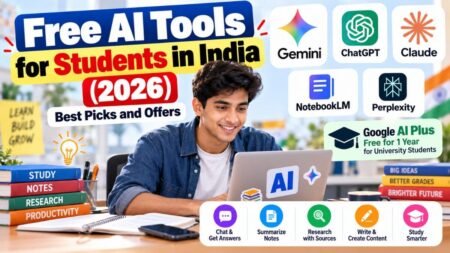
If your child loves hardware, read our guide to the best AI kits for kids to learn programming. For free online AI courses, see 5 free AI courses from Google and our guide to free AI tools for students in India.
What happened to the programs in our older list?
Our earlier version of this article listed five programs. Here is what changed:
| Older pick | What we found |
|---|---|
| Google AIY Projects | We could not confirm that the voice and vision kits are still sold or supported, so we removed it. The article also described building an “AI-powered garden” that we could not verify. See our AI kits guide for hardware options |
| Code.org AI courses | Still active and kept |
| “TensorFlow for Kids” | We could not find an official product with this name, and the old text contained a stray foreign word. TensorFlow itself is a tool for adults and older students. Children can use Teachable Machine, which runs on TensorFlow.js, instead |
| IBM AI Education | The old link pointed to a video. IBM has a separate free learning platform called IBM SkillsBuild, which is better suited to older students. Check its age rules and courses before you use it |
| Scratch “AI extension” | Scratch itself does not offer an official AI extension. Machine Learning for Kids adds machine learning to Scratch projects, so we list that instead |
Education tools change quickly. Always check the website before you plan your child’s learning around one of them.
AI in Indian schools: what is changing
According to recent guides, the Ministry of Education announced that AI and computational thinking will be introduced from Class 3 from the 2026-27 academic year, aligned with NEP 2020. CBSE has drafted an AI and computational thinking curriculum for Classes 3 to 12 and already offers AI as a skill subject in Classes 9 to 12. NCERT is also reported to be preparing AI textbooks for Classes 11 and 12.
Implementation will differ by school and board, so ask your child’s school what it plans to teach and when. The free programs in this guide are a good way to prepare, because they teach the same ideas: learning from data, fairness and safe use.
How to learn AI safely
AI learning is only useful if it is safe. Teach your child these rules:
- Never share private details such as full name, school, address, phone number, photos or passwords with an AI tool.
- Use child-friendly tools and check each site’s age rules. Many AI chatbots are for older teens.
- Check answers. AI can be confident and wrong, so compare it with a book or teacher.
- Keep AI as a helper, not a replacement. Students should do their own thinking and follow their school’s rules on AI in homework.
- Talk about fake images and voices. AI can create fakes, so students should ask, “Who made this, and how do I know it is real?”
- Tell an adult if anything online feels strange, scary or unfair.
For more tips, read our parent guide on cybersecurity for kids and our guide to protecting yourself from deepfakes.
A simple 30-day plan for parents
Week 1: Explore together. Open Teachable Machine and train a model with two or three examples. Ask your child, “Why do you think it got that wrong?”
Week 2: Build something small. Try a Machine Learning for Kids project or a Code.org lesson. Keep sessions to 30 or 45 minutes.
Week 3: Talk about it. Pick one idea from Day of AI or the AI4K12 Five Big Ideas, such as fairness or privacy, and discuss a real example.
Week 4: Show and share. Let your child present what they built to family or friends. Then decide what to try next: more Scratch, Python or a school club.
If your child loses interest, that is fine. Try a different tool and keep it playful.
What to learn after these programs
- Python basics: variables, loops, functions and lists.
- Data skills: reading and cleaning simple data tables.
- Machine learning ideas: training, testing and why models make mistakes.
- Projects: a photo classifier, a simple chatbot or a game with AI.
- Ethics and safety: fairness, privacy and responsible use.
For older students, our data structures course and JavaScript course are useful next steps.
Common mistakes to avoid
- Starting with paid courses before testing interest with free tools
- Choosing programs that are too advanced for the child’s age
- Letting children use adult chatbots without rules
- Using AI to do homework instead of to learn
- Skipping the “why”: always ask how the AI learned and where it can be wrong
- Expecting a young child to code before they have played and explored
- Not checking what personal data a tool collects
FAQs
What is the best AI program for school students?
For most students, Google Teachable Machine is the best first step because it is free, quick and needs no coding. After that, Machine Learning for Kids and Code.org are good next steps, and MIT Day of AI suits older students who want to understand AI’s impact on society.
At what age can children start learning AI?
Children as young as 6 to 8 can start with simple, hands-on ideas and visual tools, usually with an adult. Many experts suggest structured programs from about age 10 or Class 6, when children can handle more abstract ideas.
Are there free AI programs for school students?
Yes. Teachable Machine, Machine Learning for Kids, Code.org, MIT Day of AI and the AI4K12 resources are free. You can test your child’s interest for a few weeks without spending any money.
Does my child need to know coding to learn AI?
No. Teachable Machine needs no coding, and Machine Learning for Kids uses block coding in Scratch. Coding becomes important later, when students move to Python.
What is the difference between AI and machine learning?
AI is the big idea of making computers do things that seem smart. Machine learning is one way to do it: the computer learns patterns from examples instead of following only fixed rules.
Is Google AIY Projects still available?
We could not confirm that the AIY kits are still sold or supported, so we no longer recommend them. See our guide to AI kits for kids for current hardware options, and check availability before you buy.
Is there a TensorFlow for Kids?
We could not find an official product with that name. TensorFlow is a professional tool for older students and adults. Children can use Teachable Machine, which is built on TensorFlow.js, to try machine learning simply.
Will AI be taught in Indian schools?
According to recent guides, AI and computational thinking are planned from Class 3 from the 2026-27 academic year, and CBSE already offers AI as a skill subject in Classes 9 to 12. Plans differ by board and school, so ask your child’s school for details.
Is it safe for children to use AI tools?
It can be safe with rules. Use child-friendly tools, avoid sharing personal details, check answers and talk regularly about what your child sees. Read our parent guide on cybersecurity for kids for more tips.
Should students use AI for homework?
AI can explain ideas and help with practice, but students should do their own thinking and follow their school’s rules. A good habit is to ask AI to explain a topic, then write the answer in their own words.
What should my child learn after Scratch?
Most students move to Python, then try small projects with machine learning and computer vision. Our free Python, TensorFlow and OpenCV courses are good next steps for students aged about 13 and above.
How much time should a child spend on AI learning each week?
Start with two or three short sessions of 30 to 45 minutes. Keep it playful and balanced with sleep, outdoor play and schoolwork.
Final thoughts
You do not need to be an expert to help your child learn AI. Start with one free tool, learn together, talk about what AI gets right and wrong, and keep safety rules clear. The goal is not to raise a robot expert overnight, but to raise a thoughtful, curious learner who can use AI well.
Your next step: Join the Infovistar WhatsApp channel for new AI guides, start the free Python course and contact us if you want an AI workshop for your school or club.
Details were checked on November 3, 2026 against recent guides and program sites. Programs, ages and prices change, so confirm on each official website. This article gives general information, not educational or legal advice.