


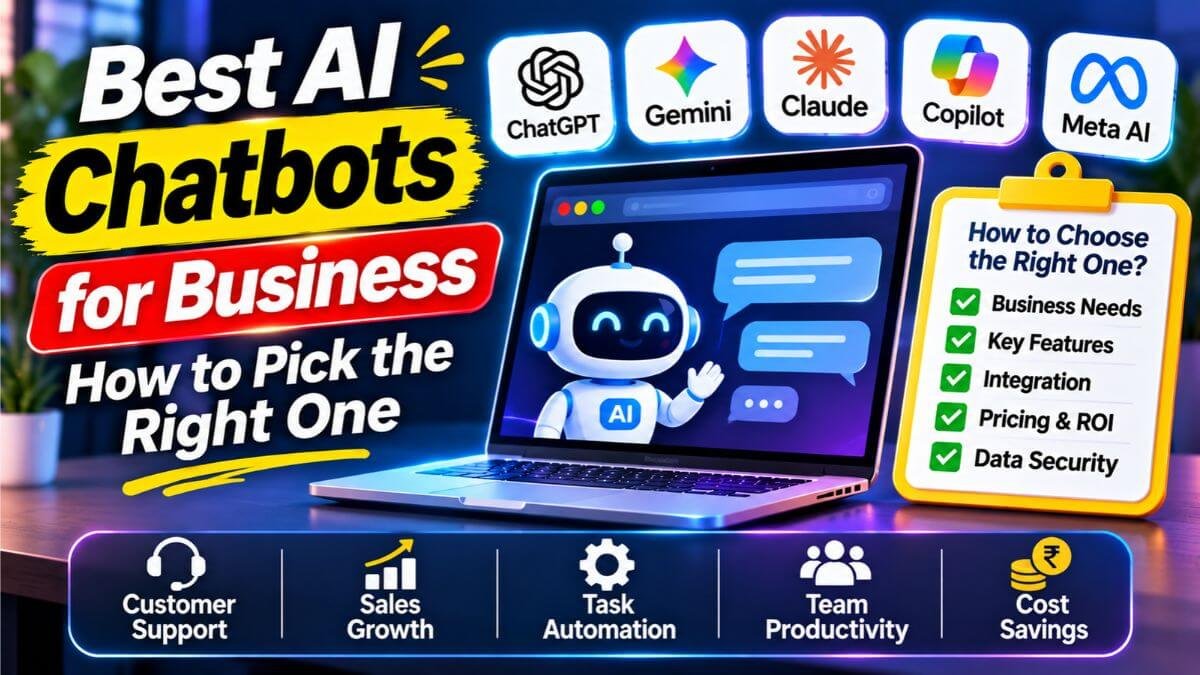
Choosing an AI chatbot for your business can feel confusing. There are so many tools, and every one of them says it is the best. The good news is that you only need to answer one question first: do you want help for your team, or do you want a bot that talks to your customers? This guide explains both in simple words, compares the top options and helps you pick without wasting money.
Quick answer
- For your team’s daily work (writing, research, emails, analysis): ChatGPT, Claude, Gemini or Microsoft Copilot. Pick the one that fits the tools you already use.
- For customer support on your website or WhatsApp: Tidio for small businesses, Intercom Fin or Zendesk AI for bigger support teams.
- Budget guide: team plans for ChatGPT and Claude cost about $20 to $25 per user each month. Small customer chatbots can start free.
- Start small. Test one tool with one task for 30 days before you roll it out to everyone.
First, know the two types of business chatbots
Most guides mix these two together, and that is why people get confused.
| Team assistant | Customer chatbot | |
|---|---|---|
| Who uses it | Your staff | Your customers |
| What it does | Writes, summarises, researches, analyses, helps with code | Answers questions, solves problems, books appointments, collects leads |
| Examples | ChatGPT, Claude, Gemini, Microsoft Copilot | Tidio, Intercom Fin, Zendesk AI, Freshchat |
| How you pay | Per user, per month | Per month, or per solved customer chat |
| Best for | Saving your team’s time | Answering customers fast, even at night |
Many businesses end up using one of each. Let us look at them one by one.
Which one do you need? Three quick examples
- Riya runs a small online clothing store. Customers keep asking about delivery and returns. She needs a customer chatbot on her website and WhatsApp.
- Arjun runs a 10-person marketing agency. His team writes a lot of emails and reports. They need a team assistant.
- A software company with 50 staff and a busy help desk needs both: a team assistant for employees and a customer support chatbot connected to its help desk.
These are made-up examples, but they show the idea. Start with your biggest daily problem.
Best AI chatbots for your team
These tools help your staff work faster. Their paid business plans usually cost about the same, so the choice often comes down to which one your team likes and which software you already use. Prices below come from 2026 comparison sites and can change, so check each company’s pricing page.
| Tool | Best for | Business plan price (approx.) | Good to know |
|---|---|---|---|
| ChatGPT (OpenAI) | All-round work: writing, ideas, data, coding | ChatGPT Business: about $20 per user a month on yearly billing, or $25 monthly | Needs at least two users on the Business plan |
| Claude (Anthropic) | Long documents, careful writing, analysis | Team Standard: about $20 per seat on yearly billing, or $25 monthly. Premium seats cost more | Good with long files; check the minimum seats |
| Gemini (Google) | Teams that already use Gmail, Docs and Drive | Included in many Google Workspace business plans; Business Standard was listed at about $14 per user a month | Easy if you already live in Google tools |
| Microsoft Copilot | Teams that already use Word, Excel, Outlook and Teams | Copilot Business add-on: about $21 per user a month; Microsoft 365 Copilot for enterprise: about $30 | Needs a qualifying Microsoft 365 plan |
| Perplexity | Quick research with sources | Check its business plans | Good for fact-finding, not for writing long documents |
A simple way to choose:
- If your team lives in Google tools, start with Gemini.
- If your team lives in Microsoft tools, start with Copilot.
- If you use neither, or want a flexible tool, try ChatGPT Business or Claude Team and give everyone one shared login.
A quick note on names, because older articles still use them. Google Bard is now Gemini, and Bing Chat is now part of Microsoft Copilot.
Best AI chatbots for talking to customers
These bots live on your website, WhatsApp or social media and answer questions for you. A good one learns from your help pages and past chats, and hands the chat to a human when it gets stuck.
| Tool | Best for | Price (approx.) | Good to know |
|---|---|---|---|
| Tidio | Small shops and small teams | Free plan with 50 conversations a month; paid plans from about $24 to $29 a month | Easy setup; live chat and AI in one place |
| Intercom Fin | Support teams that want high automation | Fin costs about $0.99 per solved conversation; Intercom plans start near $29 per seat | You pay for results, so costs rise with volume |
| Zendesk AI | Companies already using Zendesk | Zendesk plans from about $55 per agent; AI is charged on top | Strong ticketing and reports |
| Freshchat | Small teams who want one inbox for many channels | Free plan, then from about $19 per agent | Part of the Freshworks family |
| Botpress | Teams that want to build a custom bot | Free plan; paid plans vary | More technical to set up |
| ManyChat | Instagram, WhatsApp and Messenger chats | Check current pricing | Great for social media sales chats |
If your customers mostly use WhatsApp, as many do in India, check that the tool supports the WhatsApp Business platform. India-focused providers such as Haptik, Yellow.ai, Gupshup and WATI are also worth a look, but compare their prices and features yourself.
What has changed since 2024
If you read an older version of this article, here is what is different now:
- Names changed. Bard became Gemini, and Bing Chat became Microsoft Copilot.
- Chatbots can now do tasks, not just chat. Many tools can look up an order, book a meeting or update a record, not only answer questions.
- Pricing changed. Some tools now charge per solved customer chat instead of per user. That can be cheap when you are small, and costly when you grow.
- Business plans protect your data better. Many business plans say they do not train their models on your business data by default. Always read the terms.
- The old list of tools was too narrow. We removed a tool that did not fit the topic and added the support chatbots most small businesses actually use.
How to choose the right chatbot in 7 easy steps
- Write down your goal. For example: “answer delivery questions” or “write product descriptions faster.”
- Pick the type: team assistant, customer chatbot or both.
- Check where your customers talk to you: website, WhatsApp, Instagram or email.
- Check what tools you already use. A chatbot that fits your current software is easier to adopt.
- Look at the real cost. Add monthly fees, per-chat charges, setup time and training.
- Test with real questions. Use ten real customer questions and see how the bot answers.
- Check how it hands over to a human. A bot that traps customers is worse than no bot.
What will it really cost?
| Pricing style | How it works | Good for | Watch out |
|---|---|---|---|
| Per user | You pay each month for every person using it | Team assistants | Costs grow with team size |
| Per solved chat | You pay only when the bot solves a customer problem | Support bots | Costs grow with customer volume |
| Free plan | Limited chats or features at no cost | Testing | Limits can run out quickly |
| Custom plan | Priced for your company | Large businesses | Needs a sales call |
Money tips: start with a free plan or one monthly plan, set a monthly limit, and review the bill after the first month. Do not buy yearly plans until you are sure the tool helps.
Keep your business and customer data safe
A chatbot is only useful if you can trust it. Follow these simple rules:
- Never paste passwords, card numbers, Aadhaar numbers or private customer details into a free chatbot.
- Use business plans for work data. They usually give you admin controls and clearer data terms.
- Read the privacy terms. Check whether your chats are used to train the AI.
- Tell customers they are talking to a bot, and give them an easy way to reach a person.
- Know the rules. If you collect customers’ personal data in India, learn about the Digital Personal Data Protection Act, 2023, and ask a legal adviser if you are unsure.
- Check the answers. AI can sound confident and still be wrong. Review what your bot tells customers, especially about prices, refunds and policies.
For more on staying safe online, see our guides on how to identify a fake text message and OTP scams in India.
A simple 30-day plan to get started
Week 1: Choose and set up. Pick one tool and one job. Add your key information, such as delivery rules, return policy and opening hours.
Week 2: Test. Ask the bot 20 real questions. Fix wrong answers by improving the information you gave it.
Week 3: Go live in a small way. Turn it on for part of your website or for one chat channel. Make sure customers can reach a human.
Week 4: Review. Check how many chats the bot solved, what customers said and what it cost. Then decide whether to grow, change or stop.
Common mistakes to avoid
- Buying the most expensive tool first
- Giving the bot weak or outdated information
- Not testing before going live
- Hiding the human option
- Pasting private data into free tools
- Expecting the bot to fix a messy support process
- Never checking the bot’s answers after launch
Want more AI help for your business?
If you are exploring AI tools, read our guides on free AI tools for students in India, what is Langflow and how AI can help small businesses grow. If you would like a custom chatbot or a business website, contact Infovistar.
FAQs
What is the best AI chatbot for business?
There is no single best one. For teamwork, ChatGPT, Claude, Gemini and Microsoft Copilot are the main choices, and the right one depends on the tools you already use. For customer support, Tidio suits small businesses, and Intercom Fin or Zendesk AI suit bigger support teams.
What is the best free AI chatbot for a small business?
For customer chats, Tidio has a free plan with a small number of AI conversations each month, and Freshchat also lists a free plan. For your own team, the free versions of ChatGPT, Claude, Gemini and Microsoft Copilot are good places to start, but business plans are safer for work data.
How much does an AI chatbot cost for a business?
Team plans for ChatGPT and Claude cost about $20 to $25 per user each month. Microsoft Copilot adds about $21 to $30 per user on top of a Microsoft 365 plan. Customer chatbots range from free plans to about $30 a month for small tools, and some charge about $0.99 for each solved chat. Prices change, so check each company’s page.
What is the difference between ChatGPT and a customer service chatbot?
ChatGPT is a general assistant that helps people write, research and analyse. A customer service chatbot is built to answer your customers using your own information, connect to your help desk and pass difficult chats to your team.
Is Google Bard still available?
No. Google Bard is now called Gemini. Older articles that mention Bard are out of date.
Is Bing Chat the same as Microsoft Copilot?
Bing Chat became part of Microsoft Copilot. Copilot can work inside Microsoft 365 apps such as Word, Excel, Outlook and Teams on eligible plans.
Can an AI chatbot replace my customer support team?
Not fully. A good bot can handle common questions, such as order status and opening hours, but people are still needed for complex, sensitive or emotional cases. The best setup lets the bot do the simple work and hands difficult chats to your team.
Is it safe to share business data with an AI chatbot?
It is safer on paid business plans, which usually give you admin controls and clearer data terms. Even so, avoid pasting passwords, payment details, ID numbers and private customer information, and read the privacy terms before you start.
Can I add an AI chatbot to my WhatsApp?
Yes, if the tool supports the WhatsApp Business platform. Many customer chatbot tools do, including Tidio and Intercom, but plans and prices vary. Check the WhatsApp features of any tool before you buy.
How long does it take to set up an AI chatbot?
A simple chatbot for a small website can be running in a day or two. Plan a few weeks to test it properly, improve the answers and train your team to work with it.
Do I need a developer to use an AI chatbot?
Not for most small-business tools. Platforms like Tidio are made for non-technical people. If you want a fully custom bot, such as one built with Botpress or Langflow, a developer helps.
How do I know if my chatbot is working well?
Track how many chats it solves without a person, how fast it replies, what customers say and how many handovers to your team it needs. Read a sample of chats every week.
Final thoughts
The best chatbot is not the most famous one. It is the one that solves your real problem, fits the tools you already use and stays within your budget. Start with one job, test with real questions, keep a human in the loop and review the results after a month. A small, careful start beats a big, rushed one.
Prices and features were checked against 2026 comparison sites on November 1, 2026, and can change. Confirm everything on each company’s own pricing page before you buy.