
Control statements in Python are used to alter the flow of execution in a program. They enable you to make decisions, iterate over sequences, and execute code repeatedly. In this tutorial, we’ll explore three fundamental control statements in Python: if statement, for loop, and while loop.
Control statements are used to control the flow of execution depending upon the specified condition/logic.
1) if- Statement
An if statement is a programming conditional statement that, if the condition is true, it executes the block of code inside of it.
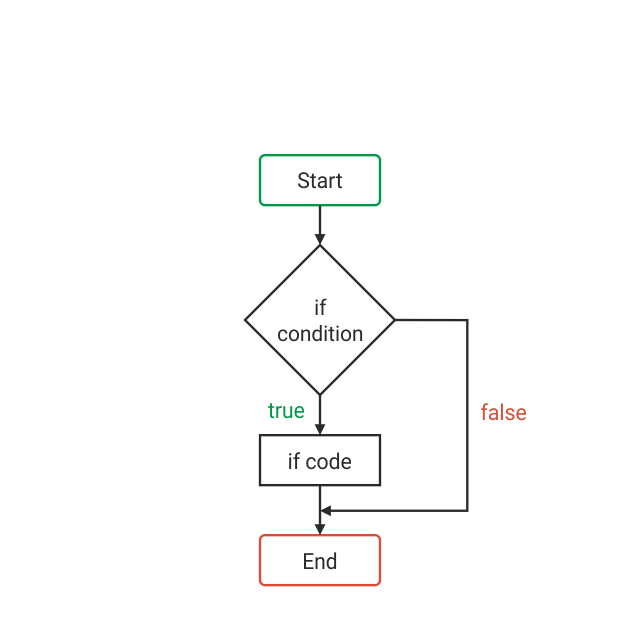
if condition:
# code block to execute if condition is true
Example:
x = 10

if x > 5:
    print("x is greater than 5")
In this example, "x is greater than 5" will be printed because the condition x > 5 evaluates to True.
books = 2
if (books == 2) :
   print("You have ")
   print("Two books")
print("Outside of if statement")
In the above code, we are checking if books are equal to 2, then execute the given code.
2) if-else statement
The if-else statement executes some code if the test expression is true (non-zero) and some other code if the test expression is false.
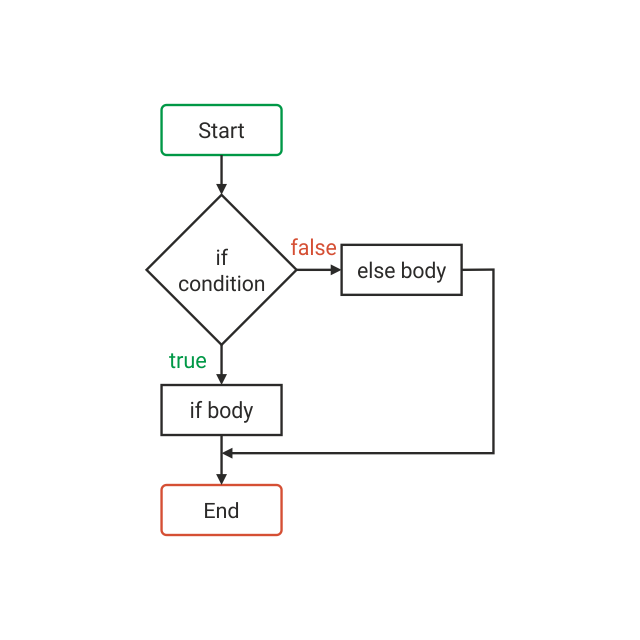
a = 10
if a < 100:
      print('less than 100')
else:
      print('more than equal 100')
In the above code, we are checking if a is less than 100, else will print “more than equal 100′.
3) Nested If-Else Statement
The nested if … else statement allows you to check for multiple test expressions and executes different codes for more than two conditions.
num = float(input("enter a number:"))
if num >=0:
     if num==0:
         print("zero")
else:
     print("Negative number")
In the above code, we are first checking if num is greater than or equal to 0 and then if it is zero if both the conditions are met, “zero” is printed, otherwise “Negative number”.