




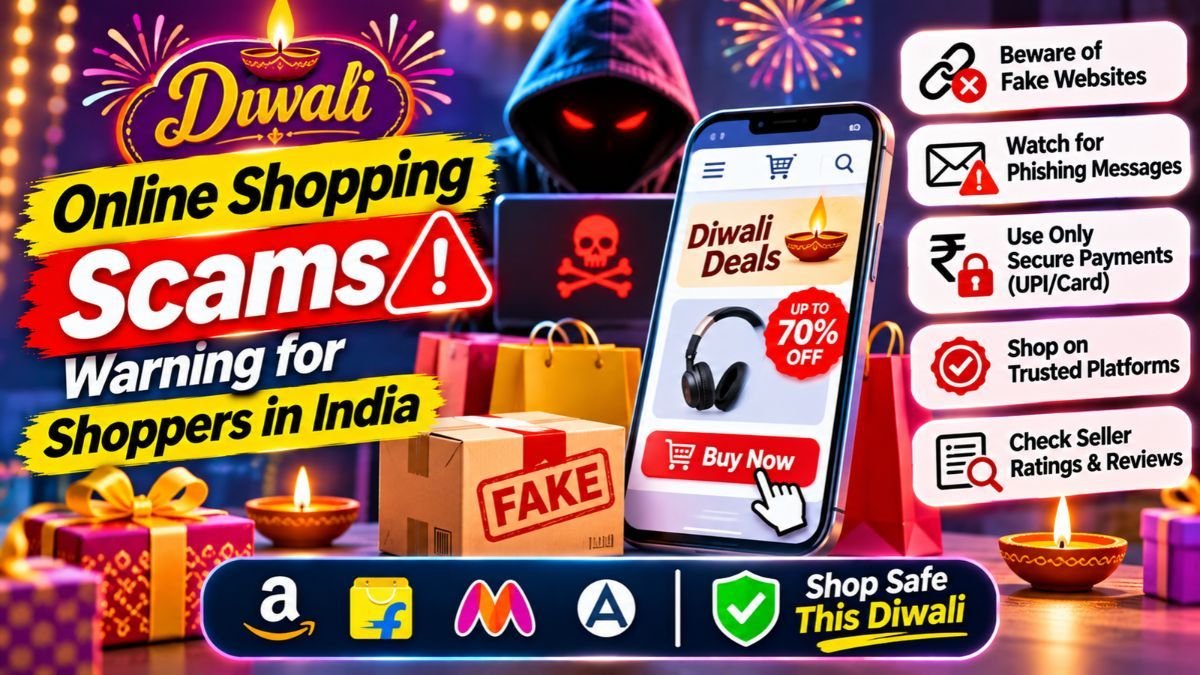
Diwali falls on Sunday, November 8, 2026, and the festive sales are in full swing. So are the fraudsters. Diwali online shopping scams are rising across India: fake discount websites, tampered QR codes, fake delivery messages and cashback offers that empty your bank account. Police cyber cells and payment apps such as PhonePe have already issued warnings this season. This guide shows the 10 most common scams, the red flags that give them away, a simple pre-payment checklist, and exactly what to do in the first 30 minutes if you are cheated.
Key takeaways
- Never scan a QR code or enter your UPI PIN to receive money. You only enter a PIN to pay.
- Do not trust a deal because it is huge. Fake offers copy real sale banners, but the link goes to a lookalike site.
- Never share an OTP, PIN, CVV or card number, even with someone who says they are from a bank, a courier or customer care.
- If you are cheated, call 1930 at once and report at cybercrime.gov.in. Speed improves the chance that the money can be held.
- Buy from the official app or the website that you type yourself, and pay on the platform.
In this guide
- Why scams rise at Diwali
- The 10 most common Diwali shopping scams
- Red flags at a glance
- A safe-shopping checklist before you pay
- What to do in the first 30 minutes if you are cheated
- Tips for families and elders
- Tips for online sellers and website owners
- FAQs
Why scams rise at Diwali
During the festive season, millions of people shop online at the same time, hunt for discounts, and expect parcels, cashback and refunds. Fraudsters use this. They copy sale banners, send messages that look like delivery alerts, and put pressure on you with words such as “last chance”. Cyber police in Mumbai and Maharashtra, and payment apps, have warned shoppers about fake offers, fake gift links and QR code fraud this season.
The tricks change, but the aim is always the same: to get you to pay, to scan, to click, or to share a code.
The 10 most common Diwali shopping scams
1. Fake shopping websites and cloned stores
The site looks like a real brand, with a real logo, but it is a copy with a slightly different web address. The prices are far below the market. You pay by UPI or bank transfer, and the order never arrives.
- Red flag: a tiny spelling change in the address, a very new domain, no real contact details, and payment only by UPI or transfer
- What to do: type the official address yourself, or use the official app. Compare the price with two other stores
2. Fake delivery and courier messages
A text or WhatsApp message says that your parcel is stuck and asks you to pay a small fee, update your address, or click a link. The link opens a page that steals your card or UPI details.
- Red flag: a message about a parcel that you did not order, a link that is not the courier’s official site, and a request for a fee
- What to do: do not click. Track your order in the shopping app or on the official courier site
3. Tampered QR codes
Fraudsters stick their own QR code over a real one at a shop, or send a QR code as a “refund” or “cashback”. PhonePe has warned about this scam during Diwali.
- Red flag: anyone who asks you to scan a QR code to receive money
- What to do: a QR code is only for paying. Before you pay, check that the name shown on your screen matches the shop
4. UPI “collect” requests and “enter your PIN to receive money”
A stranger sends you a payment request and says it is a refund or a prize. When you approve it and enter your PIN, the money leaves your account.
- Red flag: any request that makes you enter a PIN to get money
- What to do: decline it. You never need your PIN to receive money
5. Fake apps and APK files
A message offers a “special Diwali app” or an APK file with extra discounts. The app steals your passwords and reads your SMS messages, including OTPs.
- Red flag: an app that is not on the official store, or one that asks for access to your SMS and contacts
- What to do: install only from the Play Store or App Store, and from the official brand
6. Malicious Diwali greeting links and fake gift offers
A WhatsApp message with a festive greeting, a “Diwali hamper” or a “lucky draw” asks you to click and share the message with friends. Maharashtra Cyber has warned about such links.
- Red flag: a prize that you did not enter for, a request to forward the message, and a link that asks for your details
- What to do: do not click, do not forward, and delete the message
7. Fake customer care and refund scams
You search online for a customer care number after a problem, and the number that you find belongs to a scammer. They ask you to install a screen-sharing app or to share an OTP “to process your refund”.
- Red flag: a number from a search result or an ad, a request to install an app, and a request for OTPs
- What to do: use the support option inside the official app or on the official website. Never install a screen-sharing app for a stranger
8. Fake gold, silver and Dhanteras deals
Around Dhanteras and Diwali, fake sellers advertise gold coins or jewellery at low prices, or promote fake investment and government schemes.
- Red flag: gold below the market rate, pressure to pay now, and payment to a personal account
- What to do: buy from a trusted jeweller or a well-known platform, ask for a proper bill, and check hallmarks
9. AI voice and “family emergency” calls
A caller uses a cloned or imitated voice of a relative, and claims to be in trouble and in need of money at once.
- Red flag: a call that makes you panic and asks for quick payment
- What to do: hang up, and call the person on their usual number. Agree on a family code word that only you know
10. Payments outside the platform
A seller on a marketplace asks you to pay directly by UPI or bank transfer, or to switch from cash on delivery to a UPI link, to give you a “better price”. Payments outside the platform lose the platform’s protection.
- Red flag: any request to move the deal off the platform or to pay to a personal number
- What to do: always pay inside the platform’s checkout
Red flags at a glance
| Red flag | Why it is dangerous | What to do |
|---|---|---|
| A discount that is too good to be true | Fake stores use huge discounts as bait | Compare prices, and buy from the official app or site |
| A message with a link about a parcel, prize or refund | The link steals your details | Do not click. Use the official app |
| Someone asks you to scan a QR code to receive money | You pay instead of receiving | Decline. Scan only to pay |
| A request for an OTP, PIN or CVV | These codes give access to your money | Never share them |
| A countdown or “only 2 left” pressure | It stops you from thinking | Take a minute, and check |
| Payment to a personal UPI ID or account | There is no buyer protection | Pay only on the platform |
| A request to install an app | The app may take control of your phone | Refuse, and use official stores only |
A safe-shopping checklist before you pay
- Type the address yourself, or open the official app. Do not use links from messages or ads.
- Look at the address carefully: spelling, the lock icon for HTTPS, and a domain that matches the brand.
- Check the seller: ratings, reviews, return policy and contact details.
- Compare the price on at least two other platforms.
- Pay on the platform, with a card, a verified UPI app or net banking. Avoid direct transfers to individuals.
- Set a daily limit for UPI and cards, and turn on transaction alerts.
- Keep your phone updated, and use a screen lock and app lock.
- Avoid public Wi-Fi for payments.
- Keep screenshots of the offer, the order and the payment.
- Check your bank alerts every day during the festive season.
What to do in the first 30 minutes if you are cheated
Speed matters. Report at once, because the sooner the report, the better the chance that the money can be held.
- Call 1930, India’s national cybercrime helpline, and give the details.
- Call your bank or card issuer and ask them to block the card, the UPI ID or the account, and to flag the transaction.
- Report on cybercrime.gov.in and keep the acknowledgement number.
- Save the evidence: screenshots, messages, the website address, phone numbers, transaction IDs and bank statements.
- Change your passwords for your email, banking and shopping accounts, and turn on two-factor authentication.
- If you clicked a link or installed an app, remove the app, run a security scan, and tell your bank.
- Report the fake site or number to the platform or to the telecom operator.
- Be careful about “recovery agents”. Fraudsters contact victims again, and offer to get the money back for a fee. Do not pay them.
A police report or FIR at your local station may also be needed. Banks will usually ask for your complaint number.
Tips for families and elders
Older relatives are targeted most often. Take five minutes this Diwali to:
- Set a low daily UPI limit on their phone
- Show them that a PIN is only for paying
- Install only the apps that they need, and remove unknown apps
- Save 1930 on their phone
- Agree on a family code word for emergency calls
- Tell them to call you before they pay anyone they do not know
Share this with your family: forward this article, or send this short message on WhatsApp:
Diwali scam alert: Never scan a QR code or enter your UPI PIN to receive money. Never share an OTP. Do not click links about parcels, prizes or refunds. If you are cheated, call 1930 at once.
Tips for online sellers and website owners
Customers also get cheated in the name of your brand. If you run a shop or a website:
- Tell your customers which web address, app and phone numbers are official, and put them in your emails and social media bios
- Watch for lookalike domains and fake social media pages that use your name, and report them
- Turn on two-factor authentication for your admin, hosting and email accounts
- Keep your CMS, plugins and PHP updated. See our guide to the PHP2Shell vulnerabilities and to software supply chain attacks
- Use HTTPS and a firewall, and keep tested backups
Related guides
- What is UPI AutoPay? How it works, limits and safety
- How to cancel UPI AutoPay on PhonePe, Paytm and BHIM
- How to check if a loan app is RBI-registered
- Loan recovery harassment in India: your rights and how to complain
- Free EMI calculator for planning your festive purchases
FAQs
What is the cybercrime helpline number in India?
The national cybercrime helpline number is 1930. Call it as soon as you notice a fraud. You can also report online at cybercrime.gov.in.
How do I report an online shopping scam in India?
Call 1930, inform your bank, and file a complaint at cybercrime.gov.in. Keep screenshots, transaction IDs and the website address as evidence.
Can I get my money back after an online scam?
Sometimes. If you report quickly, the bank and the authorities may be able to hold or trace the money, but there is no guarantee. Report as fast as you can.
Is it safe to scan QR codes?
Scanning a QR code to pay a shop is fine, after you check that the name that appears matches the shop. Never scan a QR code to receive money, because scanning always makes you pay.
Do I need my UPI PIN to receive money?
No. You enter your PIN only to send money. If anyone asks for your PIN to give you money, it is a scam.
How can I tell if a shopping website is fake?
Check the address for small spelling changes, look for real contact details and policies, compare the prices, search for reviews, and prefer the official app. Be careful if the only payment option is a UPI transfer.
Is cash on delivery safer?
It is usually safer, because you pay when the parcel arrives, but some fake sellers ask you to switch from cash on delivery to a UPI link. Do not accept that.
What should I do if I clicked a suspicious link?
Do not enter any details. If you did, change your passwords at once, tell your bank, remove any app that was installed, and run a security scan on your phone.
Stay safe this Diwali
One scam can ruin a festival. Save the number 1930 on your phone now, send this guide to one family member who shops online, and bookmark it for the rest of the sale season. If you run a website or a shop and want help to secure it, talk to Infovistar.
This guide is for general information. It is not legal or financial advice. Offers, warnings and procedures can change, so confirm details with your bank, the platform and the official cybercrime portal.