

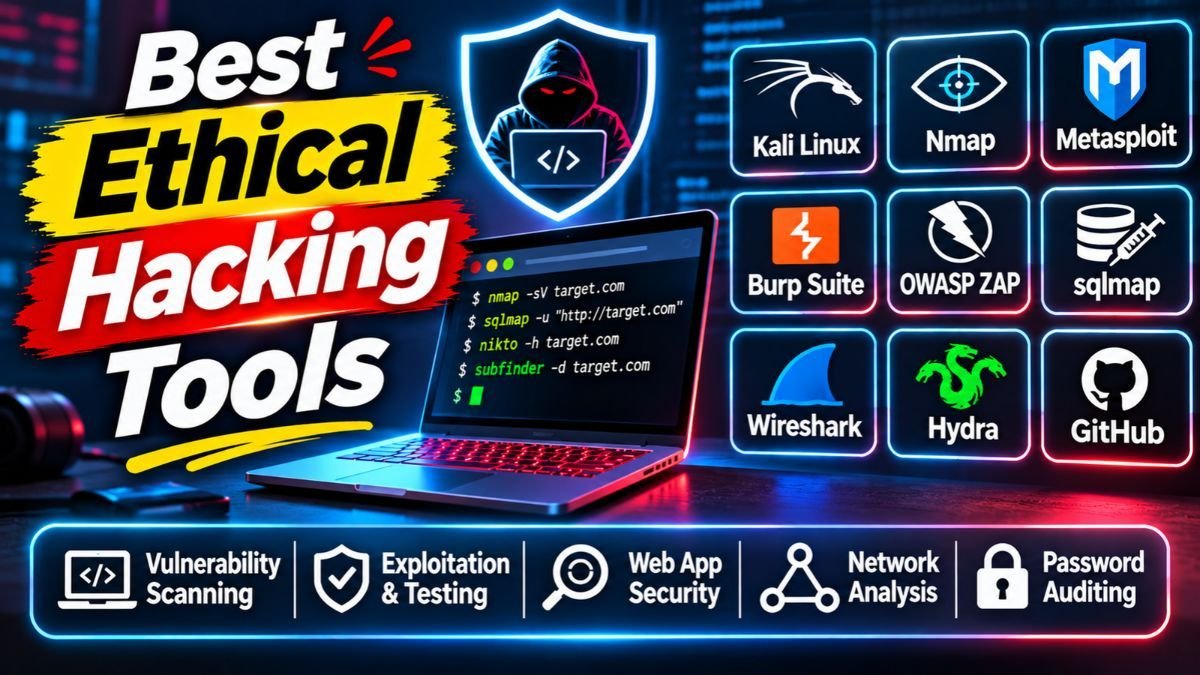
The best ethical hacking tools help you find security holes before criminals do. In 2026, the most trusted picks are Kali Linux, Nmap, Wireshark, Burp Suite, OWASP ZAP and Metasploit Framework, and most of them are free. This guide explains what each tool does in simple words, which ones suit beginners, what is new this year and how to use them legally.
Quick answer
- Best all-in-one system: Kali Linux, a free operating system packed with security tools.
- Best for networks: Nmap and Wireshark (both free).
- Best for websites and APIs: Burp Suite and OWASP ZAP.
- Best for finding known weaknesses: Nessus, OpenVAS and Nuclei.
- Best for beginners: start with Nmap, Wireshark and OWASP ZAP in a safe practice lab.
- Golden rule: only test systems you own or have written permission to test.
Want weekly cybersecurity guides in simple language? Join the Infovistar WhatsApp channel and never miss a new tutorial.
Table of contents
- What are ethical hacking tools?
- Stay legal first
- The 15 tools at a glance
- What is new in 2026
- The 15 best ethical hacking tools, explained
- Best tools by goal
- Free vs paid tools
- How to choose the right tool
- A safe 90-day learning path
- Protect your own website
- Common mistakes to avoid
- FAQs
What are ethical hacking tools?
Ethical hacking tools are programs that security professionals use, with permission, to test how safe a computer, network, website or app is. They scan for weak spots, watch network traffic, check passwords and produce reports, so the owner can fix problems before an attacker finds them.
The same tools can be misused. What makes hacking “ethical” is permission, purpose and honesty: you have the owner’s approval, you aim to improve security and you report what you find.
Stay legal first
Before you run any tool, remember three rules:
- Get written permission from the owner of the system. Scanning or testing without it can be a crime. In India, unauthorised access to computers is covered by the Information Technology Act, 2000, so treat this seriously.
- Practise in a safe lab, not on real websites. Free legal practice sites and apps include TryHackMe, Hack The Box and intentionally vulnerable apps such as OWASP Juice Shop and DVWA that you run on your own computer.
- Stay inside the scope. If a client or employer lists what you may test, test only that.
This article is for learning and defence. It is not legal advice.
The 15 tools at a glance
| # | Tool | Best for | Free? | Difficulty |
|---|---|---|---|---|
| 1 | Kali Linux | All-in-one testing system | Yes, open source | Medium |
| 2 | Nmap | Network and port scanning | Yes, open source | Easy to medium |
| 3 | Wireshark | Watching network traffic | Yes, open source | Medium |
| 4 | Burp Suite | Web app and API testing | Free Community edition; paid Professional | Medium |
| 5 | OWASP ZAP | Free web app scanning | Yes, open source | Easy to medium |
| 6 | Metasploit Framework | Checking if a weakness can really be used | Yes (framework); paid editions exist | Hard |
| 7 | Nessus | Vulnerability scanning | Limited free edition; paid plans | Easy |
| 8 | OpenVAS (Greenbone) | Free vulnerability scanning | Yes, open source | Medium |
| 9 | Nuclei | Fast, template-based checks | Yes, open source | Medium |
| 10 | John the Ripper and Hashcat | Testing password strength | Yes, open source | Medium to hard |
| 11 | Aircrack-ng | Auditing your own Wi-Fi security | Yes, open source | Medium |
| 12 | Ghidra | Reverse engineering software | Yes, open source | Hard |
| 13 | Autopsy | Digital forensics | Yes, open source | Medium |
| 14 | Maltego | OSINT and relationship mapping | Community edition; paid plans | Medium |
| 15 | Snort and Suricata | Spotting attacks on a network | Yes, open source | Medium to hard |
Free and paid versions change often. Check each tool’s official site for current plans.
What is new in 2026
- Kali Linux 2026.3 (October 26, 2026). The third release of the year added six tools: dalfox (an XSS scanner), katana (a web crawler), qsreplace, rustscan (a fast port scanner), sdrangel (software-defined radio) and snaffler-ng. It also updated 126 packages, moved to Linux kernel 7.1.5, added KDE Plasma 6.7 and refreshed its image-building scripts.
- AI is entering security testing. Reports in October 2026 describe an open-source toolkit from Meta, called Zurp, that connects Burp Suite with AI coding agents for bug bounty research. AI can speed up boring work, but you must still check every result yourself. Attackers use AI too, so defenders need to keep up.
- Free defence tools from governments. In late October 2026, the US agency CISA offered two free tools to find security misconfigurations in Microsoft 365 and Google Workspace. They are a good example of defensive tools you can use without a big budget.
- Supply chain risks are a bigger topic. Testing your own code and dependencies matters more than ever. See our software supply chain attacks checklist.
The 15 best ethical hacking tools, explained
1. Kali Linux: best all-in-one system
Kali is a free, Debian-based operating system built for security testing. It comes with hundreds of tools already installed and also runs on Raspberry Pi, in virtual machines and on phones through Kali NetHunter. It is the most common starting point for learners.
Good for: a ready-made lab. Tip: run it in a virtual machine, not as your main system.
2. Nmap: best for mapping a network
Nmap (Network Mapper) finds devices on a network, shows which doors (ports) are open and tells you which services are running. Security teams use it to check that nothing is exposed by mistake. It is free and well documented.
Good for: your first network audit of your own home or lab network.
3. Wireshark: best for seeing network traffic
Wireshark records data moving through a network and lets you read it packet by packet. It helps you understand how protocols work and spot odd behaviour, which is useful for both testing and troubleshooting.
Good for: learning how the internet really works.
4. Burp Suite: best for web apps and APIs
Burp Suite, from PortSwigger, sits between your browser and a website so you can inspect and test requests. The free Community edition is enough to learn, and the paid Professional edition adds automated scanning. It is popular with bug bounty hunters.
Good for: testing login pages, forms and APIs in a legal lab.
5. OWASP ZAP: best free web scanner
ZAP is a free, open-source web security scanner built by the open-source community. It can scan a site automatically and also help you test by hand. It is friendly for students and small teams.
Good for: a free first scan of your own web app.
6. Metasploit Framework: best for proving a weakness is real
Metasploit is an open-source framework used to check whether a known weakness can actually be exploited, so you can prioritise fixes. It is powerful, so learn it only in a lab and with permission.
Good for: professionals who write test reports.
7. Nessus: best for easy vulnerability scanning
Nessus, by Tenable, scans systems for missing patches, weak settings and known vulnerabilities, then produces readable reports. A limited free edition exists for learning, and paid plans suit companies.
Good for: regular checks of servers and devices you own.
8. OpenVAS (Greenbone): best free vulnerability scanner
OpenVAS is the open-source scanner behind Greenbone’s products. It checks networks and systems against a large, updated list of known problems. Setup takes more effort than Nessus, but it costs nothing.
Good for: small businesses with limited budgets.
9. Nuclei: best for fast checks
Nuclei runs simple, shareable “templates” that check for specific, known issues across many targets quickly. The community adds new templates often, which makes it handy for checking whether a newly announced flaw affects you.
Good for: quick checks of your own assets after a new vulnerability is announced.
10. John the Ripper and Hashcat: best for password audits
These tools test how strong stored passwords are, so administrators can find weak ones and force changes. They show why long, unique passwords and two-step login matter.
Good for: authorised password audits and lab learning. Never use them on accounts you do not own.
11. Aircrack-ng: best for Wi-Fi security checks
Aircrack-ng is a suite for assessing Wi-Fi security. Use it to check your own router and wireless setup, not other people’s networks.
Good for: testing your own Wi-Fi settings.
12. Ghidra: best for reverse engineering
Ghidra is a free software reverse-engineering suite released by the US National Security Agency. Analysts use it to understand how programs and malware work.
Good for: advanced learners and malware analysts.
13. Autopsy: best for digital forensics
Autopsy is a free forensics platform that helps investigators examine disks and recover evidence after an incident.
Good for: learning how investigators find what happened.
14. Maltego: best for open-source intelligence (OSINT)
Maltego collects public information and draws it as a map of connections between people, domains, companies and addresses. It has a community edition and paid plans.
Good for: understanding what an attacker could learn about your organisation from public sources.
15. Snort and Suricata: best for spotting attacks
Snort and Suricata are open-source intrusion detection systems. They watch network traffic and raise alerts when something matches an attack pattern. They are part of defence, not offence.
Good for: blue-team learners and network defenders.
Ready to turn tools into skills? Most security tools use scripts, so learn Python first. Start with the free Infovistar Python course and practise in our online Python compiler.
Best tools by goal
| Your goal | Start with | Then try |
|---|---|---|
| Learn the basics | Kali Linux (in a virtual machine), Nmap | Wireshark |
| Test a web app | OWASP ZAP | Burp Suite |
| Check a network | Nmap | Nessus or OpenVAS |
| Find known vulnerabilities fast | Nessus or OpenVAS | Nuclei |
| Audit passwords | John the Ripper or Hashcat (in a lab) | Strong password policy and two-step login |
| Review Wi-Fi security | Aircrack-ng on your own network | Router hardening |
| Study malware and software | Ghidra | Sandboxes and labs |
| Investigate an incident | Autopsy | Wireshark |
| Defend a network | Snort or Suricata | Log monitoring |
Free vs paid ethical hacking tools
| Free and open source | Paid | |
|---|---|---|
| Cost | $0 | Monthly or yearly fee |
| Examples | Nmap, Wireshark, ZAP, OpenVAS, Nuclei, Ghidra | Burp Suite Professional, Nessus paid plans, Maltego paid plans |
| Best for | Learners, students, small teams | Companies and professional testers |
| Support | Community forums and docs | Vendor support and training |
| Reports | Basic to good | Polished, team-ready reports |
You can learn the whole craft with free tools. Pay for a tool only when your work needs the extra features or support.
How to choose the right tool
- Define the job. Network, website, passwords, Wi-Fi or forensics?
- Check your skill level. Pick beginner-friendly tools first.
- Check the cost. Start free.
- Check the community. Active forums and tutorials save you hours.
- Check updates. Choose tools that release regular updates.
- Check legal fit. Make sure you have permission for every test.
- Practise in a lab before touching real systems.
A safe 90-day learning path
Days 1 to 30: Foundations. Learn how networks, the web and Linux work. Install Kali Linux in a virtual machine. Use Nmap and Wireshark on your own lab network.
Days 31 to 60: Web security. Learn the OWASP Top 10. Run OWASP ZAP and Burp Community against an intentionally vulnerable app on your own computer.
Days 61 to 90: Practice and reports. Do beginner rooms on TryHackMe or Hack The Box. Write a short report for each lab: what you found, why it matters and how to fix it.
After that, think about a certification such as CompTIA Security+, eJPT, CEH or OSCP, depending on your goals and budget. Check each provider’s current requirements and costs.
Protect your own website
If you run a website, you can use the same ideas defensively. Keep software updated, use strong passwords and two-step login, back up often and scan your own site regularly. Read our guides on how to check if your PHP website was hacked and PHP2Shell vulnerabilities and how to protect your website.
For everyday scam protection, see how to identify a fake text message, OTP scams in India and our guide on protecting yourself from deepfakes.
Worried about your website’s security? Contact Infovistar for a website security review, or explore more guides in our Cybersecurity category.
Common mistakes to avoid
- Testing a real website or network without written permission
- Running tools on your main computer instead of a virtual machine
- Collecting tools instead of learning how networks and the web work
- Trusting scanner results blindly, since every tool gives false alarms
- Skipping the report: finding a problem is only half the job
- Using AI-generated commands without understanding them
- Forgetting to update tools and vulnerability databases
FAQs
What are the best ethical hacking tools in 2026?
The most trusted ethical hacking tools in 2026 are Kali Linux, Nmap, Wireshark, Burp Suite, OWASP ZAP and Metasploit Framework, plus scanners such as Nessus, OpenVAS and Nuclei. Pick based on your goal: network, web app, passwords or forensics.
Which ethical hacking tool is best for beginners?
Nmap, Wireshark and OWASP ZAP are friendly starting points because they are free, well documented and easy to try in a home lab. Run them on your own lab setup inside Kali Linux in a virtual machine.
Are ethical hacking tools free?
Many are. Kali Linux, Nmap, Wireshark, OWASP ZAP, OpenVAS, Nuclei and Ghidra are free and open source. Burp Suite, Nessus and Maltego have free or limited editions and paid plans with more features.
Is it legal to use ethical hacking tools?
Owning and learning the tools is generally legal. Using them on systems without permission is not. Always get written permission, stay within the agreed scope and practise in your own lab. This is general information, not legal advice.
Do I need Kali Linux to learn ethical hacking?
No, but it is convenient because many tools come pre-installed. You can also install tools one by one on another system. Run Kali in a virtual machine so it stays separate from your daily computer.
What is the difference between Nmap and Wireshark?
Nmap actively scans a network to find devices, open ports and services. Wireshark passively records and shows the traffic that moves through a network. They are often used together.
Is Burp Suite free?
Burp Suite has a free Community edition that is good for learning. The paid Professional edition adds automated scanning and extra features for professionals.
What is the difference between a vulnerability scanner and a penetration testing tool?
A vulnerability scanner such as Nessus or OpenVAS looks for known weaknesses and reports them. A penetration testing tool such as Metasploit or Burp Suite helps a person test whether a weakness can really be used. Scanners find; testers confirm.
How long does it take to learn ethical hacking?
You can learn the basics in about three months of steady practice, but becoming job-ready usually takes longer. Focus on networking, Linux, web security and one programming language such as Python.
Which programming language should I learn for ethical hacking?
Python is a great first choice because many security tools and scripts use it. Learning basic JavaScript, SQL and Bash also helps. Start with our Python course.
What certifications help an ethical hacking career?
Popular options include CompTIA Security+ for basics, eJPT for beginner penetration testing, CEH for broad coverage and OSCP for hands-on skills. Check each provider’s current exam details and costs.
How can I practise ethical hacking legally?
Use practice platforms such as TryHackMe and Hack The Box, or run intentionally vulnerable apps like OWASP Juice Shop and DVWA on your own computer. Never practise on real websites without permission.
Can AI tools do ethical hacking?
AI can help with boring tasks such as organising notes, summarising results and suggesting checks, and new toolkits connect AI agents with tools like Burp Suite. It makes mistakes, so a human must verify everything, and AI use must still stay within the law and the agreed scope.
What is new in Kali Linux 2026.3?
Kali Linux 2026.3, released on October 26, 2026, added six new tools (dalfox, katana, qsreplace, rustscan, sdrangel and snaffler-ng), moved to Linux kernel 7.1.5, added KDE Plasma 6.7 and refreshed its image-building scripts.
Final thoughts
Good ethical hacking starts with good habits, not fancy tools. Learn how networks and websites work, practise in a safe lab, always get permission and write clear reports. The tools in this list are free or low cost to start, so you can begin today.
Your next step: Join the Infovistar WhatsApp channel for new cybersecurity guides, learn Python to build real skills, and contact us if you need your website checked.
Tool details were checked on November 2, 2026 against official release news and recent coverage. Versions, free plans and prices change, so confirm on each tool’s official site. This guide is for education and defence only.