

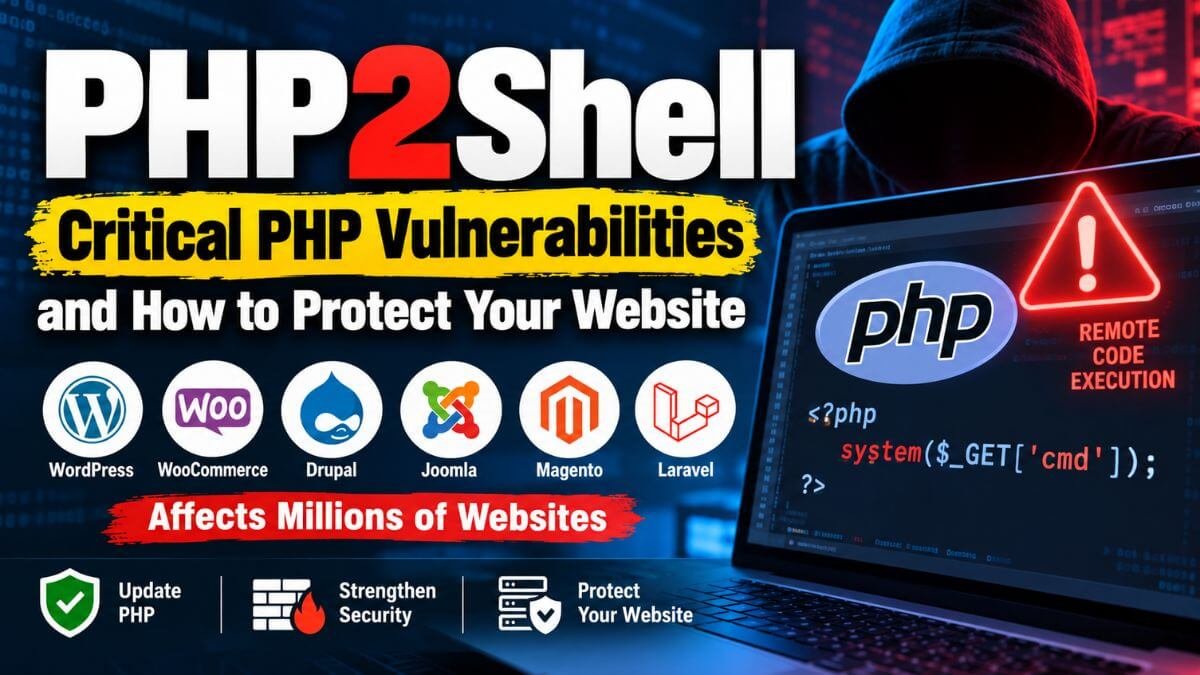
On October 21, 2026, the PHP project released an emergency security update for two critical vulnerabilities in the PHP language itself. Both can allow remote code execution, which means an attacker could run their own code on a vulnerable server. Because PHP powers WordPress, WooCommerce, Drupal, Joomla, Magento, Laravel, CodeIgniter and millions of custom websites, this affects a large part of the web. This guide explains what happened, whether you are affected, how to fix it step by step, and which security measures to put in place so you are better protected in the future.
Quick answer
- PHP fixed two critical flaws, CVE-2026-109618 and CVE-2026-109619, each rated 9.2 on the CVSS v4.0 scale. They are being called PHP2Shell.
- Affected: all PHP versions from 5.4 through 8.5.11.
- Fixed in PHP 8.5.12, 8.4.27, 8.3.36 and 8.2.35.
- PHP 8.1 and older no longer get fixes from the PHP project. Upgrade to 8.2 or newer, or use a patched package from your Linux vendor.
- Security researchers have reported attacks against the flaws in the wild, so update now.
- Updating PHP and restarting PHP and your web server is the only complete fix.
What happened
| Date (2026) | Event |
|---|---|
| October 20 | Details of two critical PHP flaws leaked online before the planned disclosure, and before patches were ready. PHP then announced an out-of-band security release |
| October 21, 14:00 UTC | PHP released the fixes, a day earlier than the original embargo date |
| October 21 | CVE.org assigned the identifiers CVE-2026-109618 and CVE-2026-109619, and Linux vendors and hosting providers began publishing their own updates |
| October 21 | The security firm watchTowr reported seeing exploitation attempts in the wild through its honeypot network |
The PHP security team had said it reserved the right to release the fix early if details became public or if attacks appeared. Both happened. The flaws were disclosed together with Wiz Research.
What are CVE-2026-109618 and CVE-2026-109619?
Both vulnerabilities are in the core PHP runtime. They are not in a plugin, a theme or your own code. That is why a site that is written carefully can still be exposed if the PHP version underneath it is not patched.
- CVE-2026-109618: When PHP runs out of memory, the out-of-memory handling can interrupt PHP while some internal request data is only partly set up. Request cleanup may then treat that invalid data as valid.
- CVE-2026-109619: Request-owned internal state can remain after the memory behind it has been freed. A later request handled by the same PHP worker may use that stale state before normal initialisation resets it.
In simple words, PHP can end up using memory that it should no longer trust. Security teams say the result can be unauthenticated remote code execution and memory disclosure: an attacker does not need a login. The sources describe the bugs at this level only, so this article does not describe how to exploit them.
Which PHP versions are affected?
| PHP version | Status | What to do |
|---|---|---|
| 8.5.0 to 8.5.11 | Affected | Update to 8.5.12 |
| 8.4.0 to 8.4.26 | Affected | Update to 8.4.27 |
| 8.3.0 to 8.3.35 | Affected | Update to 8.3.36 |
| 8.2.0 to 8.2.34 | Affected | Update to 8.2.35 (PHP security support for 8.2 ends on December 31, 2026, so plan to move to a newer branch) |
| 8.1 and older, including 7.x and 5.x (down to 5.4) | Affected, and no fix from the PHP project | Upgrade to 8.2 or newer. Some Linux vendors publish their own patched packages for older versions, so check your vendor’s advisory |
If your website runs on WordPress, WooCommerce, Drupal, Joomla, Magento, Laravel or any other PHP application, assume that you are affected until PHP is updated on the server. If you use shared hosting, your hosting provider updates PHP, but you should confirm it, and you must choose a supported PHP version in your control panel.
How to fix it: step by step
Step 1: Find out which PHP version you run
- On the server, run php -v. Note that this shows the command-line PHP, which can differ from the PHP your website uses.
- On WordPress, go to Tools, then Site Health, then Info, then Server.
- In cPanel or Plesk, check the PHP version selected for your domain.
- If you run more than one PHP version, check each one.
Step 2: Back up your site
Take a backup or snapshot of your files and database before you update, so you can roll back if something breaks.
Step 3: Update PHP
Ubuntu or Debian:
sudo apt update
sudo apt upgrade
RHEL, AlmaLinux, Rocky or Fedora:
sudo dnf upgrade 'php*'cPanel or Plesk: use the PHP version manager (MultiPHP Manager in cPanel) to select a fixed, supported version, and apply the updates that your host provides.
Docker, Kubernetes and cloud platforms: pull a patched PHP base image, rebuild your image, and redeploy the containers. Updating the host is not enough, because containers carry their own PHP. Google Cloud, for example, advises rebuilding and redeploying, and says that images you build yourself are your own responsibility.
Managed or shared hosting: check your provider’s announcement, or contact support to confirm that the fix has been applied.
Linux distributions often “backport” a fix, which means the package keeps its old version number but contains the patch. So php -v might not show 8.3.36 even after a correct update. Check your vendor’s security notice or the package changelog for the CVE numbers.
Step 4: Restart PHP and your web server
The update takes effect only after the services restart.
# replace 8.3 with your PHP version
sudo systemctl restart php8.3-fpm
sudo systemctl restart apache2   # or: sudo systemctl restart nginx
Step 5: Confirm you are protected
Run php -v again, and check the version your website uses. Compare it with the fixed versions (8.5.12, 8.4.27, 8.3.36, 8.2.35), or with your vendor’s patched package.
If you cannot update right now
PHP has said that updating is the only complete fix. If you really cannot update immediately, some hosting providers suggested one temporary step before the patch existed: turning off session upload progress.
session.upload_progress.enabled = 0This setting is not an official or complete fix, and it only reduces exposure to one possible attack path. It can also stop file-upload progress bars on your site from working. Put it in php.ini or .user.ini, or in your control panel’s PHP settings, test your site afterwards, and still update as soon as you can.
Other short-term measures:
- Put your site behind a web application firewall (WAF) or a service such as Cloudflare, and keep its rules updated. A WAF adds a layer, but it is not a substitute for patching.
- Limit public access to admin areas, upload endpoints and other sensitive pages.
- Take extra backups, and keep at least one copy offline.
Check whether your site was already attacked
Because attacks were reported soon after the disclosure, check your site as well as patching it.
- Look for unexpected PHP files, especially in upload and temporary folders:
find /var/www -name '*.php' -path '*uploads*'
find /var/www -name '*.php' -mtime -3- On WordPress, verify the core and plugin files with WP-CLI:
wp core verify-checksums
wp plugin verify-checksums --all- Review your users. Look for new administrator accounts that you did not create.
- Check scheduled tasks (cron jobs) and any processes or outgoing connections you do not recognise.
- Read your access logs for unusual requests, spikes in traffic, or repeated requests that cause errors.
- Run a malware scan with a security plugin, ClamAV or a similar tool.
- If you find signs of a compromise, restore from a clean backup after you patch, and change all passwords, database credentials, API keys and WordPress salts. Consider asking a security professional for help.
Finding nothing does not prove that you are safe, but it is a good first check.
Other serious PHP-related vulnerabilities in 2026
PHP2Shell is not the only issue of the year. These reports show the same lesson: patch quickly, and do not rely on one layer of defence.
| Issue | Where | Why it matters |
|---|---|---|
| wp2shell (CVE-2026-63030 and CVE-2026-60137) | WordPress core | A critical pre-authentication remote code execution chain, published on July 17, 2026, with exploitation reported in the wild. Keep WordPress core updated. Wiz suggested blocking the /wp-json/batch/v1 endpoint at a WAF as a temporary measure |
| CVE-2026-19089 | A WooCommerce plugin (Product Input Fields for WooCommerce, versions before 2.0.2) | Unauthenticated file upload that can lead to remote code execution |
| CVE-2026-38526 | Krayin CRM 2.2.x | Unrestricted PHP file upload that can lead to remote code execution |
| CVE-2026-33691 and CVE-2026-104269 | ModSecurity rule set and ModSecurity 3 | Ways to get past WAF file upload checks, which shows that a WAF is not enough on its own |
Most of these come from the same weak spots: file uploads, outdated software, and the over-trust of a single defence.
PHP security checklist: how to protect your website for the long term
1. Run a supported PHP version, and update regularly
PHP versions stop receiving security fixes when they reach end of life. Use a version listed as supported on php.net, turn on automatic security updates where your host or distribution offers them, and plan upgrades before support ends. As noted above, PHP 8.2 security support ends on December 31, 2026.
2. Keep your CMS, plugins, themes and packages updated
Update WordPress, plugins and themes promptly, delete the ones you do not use, and download them only from trusted sources. For custom projects that use Composer, check your dependencies for known problems:
composer audit3. Prevent SQL injection with prepared statements
Never put user input directly into an SQL query.
$stmt = $pdo->prepare('SELECT * FROM users WHERE email = :email');
$stmt->execute(['email' => $email]);
$user = $stmt->fetch();
4. Prevent cross-site scripting (XSS) by escaping output
echo htmlspecialchars($name, ENT_QUOTES, 'UTF-8');Validate input on the way in, and escape output on the way out.
5. Protect forms against CSRF
session_start();
if (empty($_SESSION['csrf'])) {
    $_SESSION['csrf'] = bin2hex(random_bytes(32));
}

// When the form is submitted:
if (!hash_equals($_SESSION['csrf'], $_POST['csrf'] ?? '')) {
    http_response_code(403);
    exit;
}
Put the token in a hidden field in each form.
6. Handle file uploads very carefully
File upload bugs are one of the most common causes of PHP site takeovers.
- Allow only the file types you need, and check the real type of the file, not just its name or the browser’s content type.
- Rename uploaded files to random names.
- Store uploads outside the web root if you can.
- Never allow PHP to run in the upload folder.
- Set size limits.
$allowed = ['image/jpeg' => 'jpg', 'image/png' => 'png'];
$finfo = new finfo(FILEINFO_MIME_TYPE);
$mime = $finfo->file($_FILES['file']['tmp_name']);

if (!isset($allowed[$mime])) {
    exit('File type not allowed');
}

$name = bin2hex(random_bytes(16)) . '.' . $allowed[$mime];
move_uploaded_file($_FILES['file']['tmp_name'], '/var/app/uploads/' . $name);
If uploads must live inside the web root, stop PHP files from running there.
Nginx:
location ~* ^/uploads/.*\.(php|phtml|phar)$ {
    deny all;
}
Apache (a .htaccess file inside the uploads folder):
<FilesMatch "\.(php|phtml|phar)$">
    Require all denied
</FilesMatch>
7. Store passwords with a proper hash
$hash = password_hash($password, PASSWORD_DEFAULT);

if (password_verify($input, $hash)) {
    // password is correct
}
Never store passwords in plain text, or hash them with MD5 or SHA-1.
8. Secure sessions and cookies
Set these in php.ini, and call session_regenerate_id(true) after a user logs in:
session.cookie_httponly = 1
session.cookie_secure = 1
session.cookie_samesite = Lax
session.use_strict_mode = 1
Session.cookie_secure needs HTTPS, so use HTTPS on your whole site.
9. Harden php.ini
expose_php = Off
display_errors = Off
log_errors = On
allow_url_include = Off- expose_php stops PHP from advertising its version in response headers.
- display_errors = Off keeps error details away from visitors, and log_errors = On writes them to a log instead.
- You can also restrict risky functions with disable_functions (for example exec, system, shell_exec, passthru, proc_open and popen) and limit file access with open_basedir. Test first, because some plugins and applications need these functions.
10. Apply least privilege on the server
- Run each site under its own user and PHP-FPM pool, so a problem in one site does not spread to the others.
- Use strict file permissions, for example 755 for folders and 644 for files, and make configuration files such as wp-config.php readable only by the owner and web server group.
- Do not run PHP or your web server as root.
11. Add layers of defence
- Use a WAF, but remember that it can be bypassed. Patching comes first.
- Turn on two-factor authentication for admin accounts, and use strong, unique passwords.
- Limit login attempts, and protect admin pages by IP or extra authentication where possible.
- Use HTTPS everywhere.
12. Monitor, log and back up
- Keep access and error logs, and look at them regularly.
- Use file integrity monitoring or a security plugin that warns you when files change.
- Keep automatic, tested backups, with at least one copy stored away from your server.
What to do today
- Check your PHP version on every server and site.
- Back up, then update to a fixed version (8.5.12, 8.4.27, 8.3.36 or 8.2.35, or your vendor’s patched package), and restart PHP and your web server.
- Move off PHP 8.1 and older.
- Check for unexpected files, new admin users and strange logs.
- Work through the long-term checklist above.
FAQs
Is my WordPress site affected by PHP2Shell?
If the server’s PHP version is not patched, yes, whatever the plugins you use. The bugs are in PHP itself. Update PHP, and also keep WordPress core, plugins and themes updated.
I am on shared hosting. What do I need to do?
Your host normally updates PHP on the server. Check your host’s announcement, choose a supported PHP version in your control panel, and contact support if you are not sure that the fix has been applied.
Does a firewall (WAF) protect me from these vulnerabilities?
A WAF can reduce some attacks, but it is not a fix, and WAFs have been bypassed before. PHP says that updating is the only complete fix.
Is PHP 8.1 or 7.4 safe to keep using?
No. The PHP project is not releasing a fix for 8.1 or older. Upgrade to PHP 8.2 or newer. Some Linux vendors provide their own patches for older versions, but upgrading is the better long-term solution.
Will updating PHP break my website?
These are patch releases inside a version branch, so they are unlikely to break a site, but you should still back up first and test on a staging copy if you have one. Moving to a newer branch, such as from 8.1 to 8.3, needs more testing, because old code and plugins can break.
How do I know if my site was hacked?
Look for unknown PHP files, modified core files, new admin users, unusual cron jobs, odd traffic in your logs, and warnings from your host or security plugin. Then run a malware scan, and restore from a clean backup if needed.
Are these vulnerabilities being exploited?
Security researchers at watchTowr reported exploitation attempts in the wild from October 21. Do not wait to update.
This article reflects public information as of October 22, 2026. The situation is developing, so check PHP’s official announcement, your hosting provider and your Linux vendor for the latest details. It is general guidance, not a replacement for advice from a security professional.