

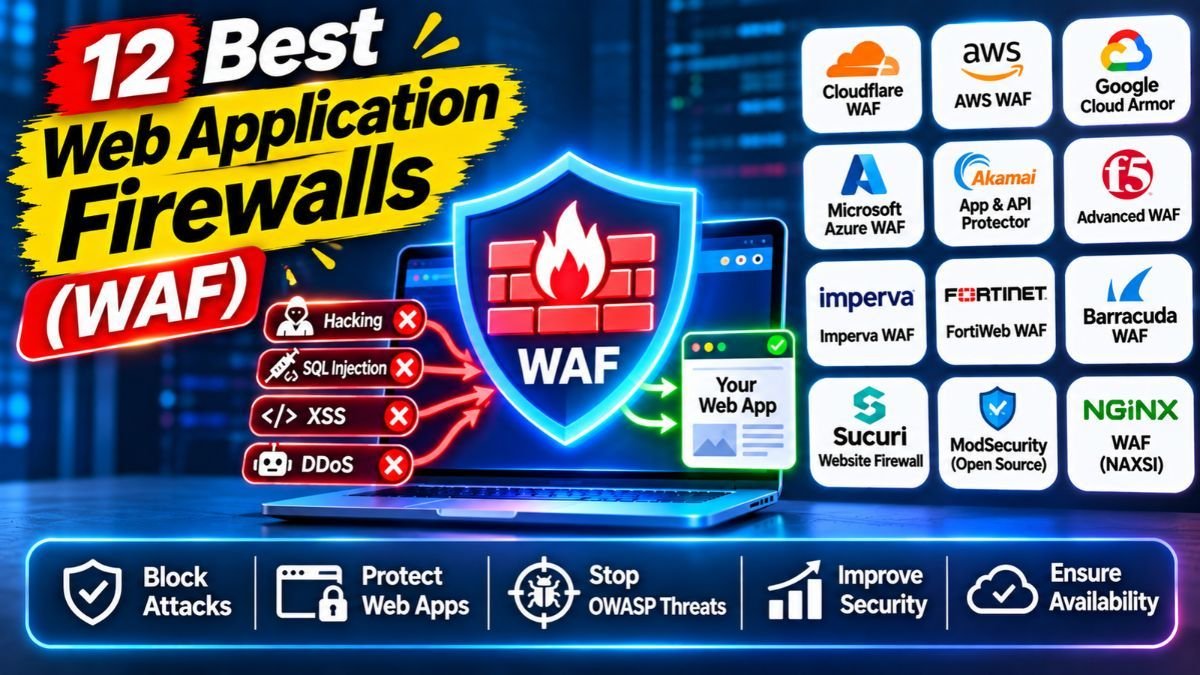
A web application firewall (WAF) sits in front of your website or app and blocks bad requests, such as SQL injection, cross-site scripting and bot attacks, before they reach your server. In 2026, Cloudflare is the easiest and cheapest place to start for most websites, AWS WAF fits apps that already run on AWS, and Akamai, Imperva and F5 serve large enterprises. This guide compares 12 options in simple words, shows real starting prices and explains how to choose without overpaying.
Quick answer: which WAF should you choose?
| Your situation | Good first choice |
|---|---|
| Blog, small business site or online store | Cloudflare (free or Pro plan) |
| WordPress site that needs extra protection | Sucuri or Wordfence on top of a CDN |
| App running on AWS | AWS WAF |
| App running on Microsoft Azure | Azure WAF |
| App running on Google Cloud | Google Cloud Armor |
| Very large site with heavy bot and attack traffic | Akamai or Imperva |
| Team that wants few false alarms and fast DevOps | Fastly Next-Gen WAF |
| Tight budget and strong technical skills | ModSecurity or Coraza with the OWASP Core Rule Set |
Want weekly cybersecurity guides in simple language? Join the Infovistar WhatsApp channel and get new security tutorials as they publish.
Table of contents
- What is a web application firewall?
- Do you really need a WAF?
- The 4 types of WAF
- The 12 WAFs at a glance
- The 12 best WAFs, explained
- WAF pricing: what you will really pay
- What is new in 2026
- How to choose a WAF in 7 steps
- How to set up a WAF safely
- Common mistakes to avoid
- FAQs
What is a web application firewall?
A web application firewall is a security filter for web traffic. It reads each request to your site, checks it against rules and either lets it through or blocks it. It protects the web application layer, which is where most website attacks happen.
A WAF commonly helps stop:
- SQL injection: tricks that try to read or change your database through a form or URL.
- Cross-site scripting (XSS): attempts to run harmful scripts in your visitors’ browsers.
- Bad bots: automatic tools that scrape content, guess passwords or abuse your login page.
- Credential stuffing: attacks that try leaked passwords on your login page.
- API abuse: misuse of your app’s API endpoints.
- Traffic floods: many providers also help absorb DDoS traffic.
WAF vs normal firewall vs CDN
| Network firewall | WAF | CDN | |
|---|---|---|---|
| Looks at | IP addresses and ports | The content of web requests | Where and how fast content is delivered |
| Stops | Unwanted network connections | Web attacks like SQL injection and XSS | Slow loading (and often some attacks) |
| Needs web knowledge | No | Yes | No |
Most modern products blend these. Cloudflare, for example, combines a CDN, a WAF and DDoS protection in one service.
Do you really need a WAF?
You probably do if any of these are true:
- You run a website that takes logins, forms or payments.
- You use WordPress, PHP or another common platform that attackers scan for known weaknesses.
- You cannot patch software the same day a flaw is announced.
- You see strange traffic, fake sign-ups or login attempts in your logs.
- You must show customers or auditors that you take security seriously.
A WAF is not a replacement for updates, strong passwords and backups. Think of it as a shield in front of your site while you fix the real problems. Read our guides on how to check if your PHP website was hacked and PHP2Shell vulnerabilities to see why.
The 4 types of WAF
| Type | How it works | Examples | Best for |
|---|---|---|---|
| Cloud or CDN WAF | Traffic goes through the provider’s network first | Cloudflare, Akamai, Sucuri, Fastly | Most websites, quick setup |
| Cloud-provider WAF | Built into your cloud platform | AWS WAF, Azure WAF, Google Cloud Armor | Apps that already live in that cloud |
| Appliance or software WAF | Runs on your own server or data center | Imperva, F5, FortiWeb, Radware, Barracuda | Large organisations with strict control needs |
| Plugin or open-source WAF | Runs on your server or inside your CMS | Wordfence, ModSecurity, Coraza | WordPress sites and technical teams |
The 12 WAFs at a glance
| # | WAF | Type | Best for | Starting price (approx.) |
|---|---|---|---|---|
| 1 | Cloudflare | Cloud or CDN | Most websites | Free; Pro about $20 a month on yearly billing; Business about $200 |
| 2 | Sucuri | Cloud | WordPress and small business sites | Basic firewall with CDN from about $9.99 a month |
| 3 | Wordfence | WordPress plugin | WordPress sites | Free version; paid plans for more features |
| 4 | AWS WAF | Cloud provider | AWS apps | $5 per web ACL, $1 per rule, $0.60 per million requests |
| 5 | Azure WAF | Cloud provider | Azure apps | Usage-based; Front Door Premium base about $330 a month |
| 6 | Google Cloud Armor | Cloud provider | Google Cloud apps | About $5 per policy a month plus usage |
| 7 | Akamai | Cloud or CDN | Very large, high-traffic sites | Quote |
| 8 | Imperva | Cloud or appliance | Compliance-heavy enterprises | Quote |
| 9 | F5 | Appliance, software or SaaS | Complex enterprise apps | Quote |
| 10 | Fortinet FortiWeb | Appliance, VM or cloud | Companies that already use Fortinet | License or bundle |
| 11 | Fastly Next-Gen WAF | Edge, agent or Kubernetes | DevOps teams | Quote |
| 12 | ModSecurity or Coraza | Open source | Technical teams on a budget | Free software; you pay for servers and time |
Prices come from 2026 comparison sites and can change. Check each vendor’s pricing page before you buy.
The 12 best WAFs, explained
Best WAFs for small websites and blogs
1. Cloudflare: best for most websites
Cloudflare works by pointing your domain’s DNS to its network. Visitors then reach Cloudflare first, which filters attacks, speeds up delivery and hides your server. A free plan includes basic protection, and paid plans add more rules and tools. This is the quickest way for most small sites to get a WAF running in an afternoon.
Good for: blogs, business sites, WooCommerce stores and startups. Watch out for: advanced features such as full bot management and deep API tools need Enterprise contracts, and you depend on Cloudflare as your front door.
2. Sucuri: best for WordPress and simple site protection
Sucuri is a website security service that combines a cloud firewall, CDN, malware scanning and cleanup help. It is made for website owners who do not want to manage security tools themselves, and plans start at around $10 a month.
Good for: small business and WordPress sites. Watch out for: plans are per site, so costs add up if you manage many sites.
3. Wordfence: best plugin-based protection for WordPress
Wordfence is a security plugin for WordPress that includes a firewall, malware scanner and login protection. It runs on your server, so it protects the site without changing DNS. A free version exists, and paid plans add faster rule updates and extra features.
Good for: WordPress owners who want simple protection inside the dashboard. Watch out for: because it runs on your own server, heavy attacks still hit your hosting, so many owners also use a CDN WAF.
Best WAFs for cloud-native apps
4. AWS WAF: best for apps on AWS
AWS WAF attaches directly to Amazon CloudFront, load balancers and API Gateway, so there is no extra network step. Pricing is pay-as-you-go: about $5 per web ACL (your set of rules) each month, $1 per rule each month and $0.60 per million requests, with add-ons such as Bot Control costing extra. Reviews note it is usually cheaper than Cloudflare Pro at low traffic and can become costly at very high traffic.
Good for: teams already on AWS who want to manage rules as code. Watch out for: rule quality depends on what you configure or buy, and the pricing has several parts.
5. Azure WAF: best for apps on Microsoft Azure
Azure WAF attaches to Azure Front Door (global) and Application Gateway (regional) with Microsoft-managed rules based on the OWASP Core Rule Set, bot protection and logging into Microsoft’s monitoring tools. Costs depend on the service tier you choose.
Good for: Azure-first companies. Watch out for: it only protects Azure-delivered apps.
6. Google Cloud Armor: best for apps on Google Cloud
Cloud Armor protects apps behind Google’s load balancers and provides WAF rules plus DDoS defense. Price comparisons list about $5 per policy per month plus usage charges.
Good for: teams running on Google Cloud. Watch out for: like the other cloud-provider WAFs, it is tied to its own cloud.
Best WAFs for large organisations
7. Akamai: best for very high-traffic sites
Akamai’s App and API Protector runs on one of the world’s biggest delivery networks. It is known for strong bot management, API discovery and handling huge attack volumes. Pricing is by contract.
Good for: large enterprises, banks and media sites. Watch out for: enterprise pricing and contracts.
8. Imperva: best for accuracy and compliance
Imperva, now part of Thales, has a long record for accurate detection and good audit and compliance tools. It offers cloud, appliance and hybrid options, plus bot, API and DDoS protection.
Good for: regulated industries. Watch out for: premium pricing and a heavy console for simple needs.
9. F5: best for complex enterprise applications
F5 offers Advanced WAF, NGINX App Protect and a cloud service (Distributed Cloud WAAP). It is highly programmable and widely used in large companies.
Important note: in October 2025, F5 disclosed that a nation-state attacker had broken into its development systems and stolen BIG-IP source code and information about vulnerabilities. The US agency CISA issued Emergency Directive 26-01, which told federal agencies to patch quickly. If you use F5, keep every product on the latest patched version, lock down management access and ask F5 for its post-incident security commitments.
Good for: large teams with strong skills. Watch out for: cost, complexity and the need to follow patch guidance closely.
10. Fortinet FortiWeb: best if you already use Fortinet
FortiWeb uses machine learning to learn what normal traffic looks like for each app and flags what is unusual. It works with other Fortinet products and comes as an appliance, virtual machine or cloud service.
Good for: companies that already run Fortinet. Watch out for: best value inside the Fortinet family.
11. Fastly Next-Gen WAF: best for DevOps teams
Fastly’s Next-Gen WAF (from the Signal Sciences family) is known for fewer false alarms, so teams are more willing to switch it to blocking mode. It can run at the edge, as an agent on your servers or in Kubernetes.
Good for: engineering teams that ship often. Watch out for: pricing is by quote.
Also worth a look: Radware (strong DDoS and WAF together) and Barracuda (simple to run for mid-sized companies).
Best open-source WAF
12. ModSecurity or Coraza with the OWASP Core Rule Set: best free option for technical teams
ModSecurity is the long-running open-source WAF engine, and Coraza is a newer engine written in Go that works with the same OWASP Core Rule Set. Both use the Apache 2.0 licence, so the software is free. You pay with your own time: installing, tuning rules and keeping them updated. ModSecurity’s original commercial maintainer ended its support in 2024, and the open-source community now maintains it, so many teams are looking at Coraza for new projects. Check each project’s current status before you choose.
Good for: teams with Linux, Nginx or Apache skills. Watch out for: false positives if you do not tune the rules.
Worried about your website’s security? Contact Infovistar for a website security review, or read more in our Cybersecurity category.
WAF pricing: what you will really pay
| Model | How you pay | Examples | Good to know |
|---|---|---|---|
| Flat plan | Fixed monthly price per site | Cloudflare, Sucuri | Easy to predict; advanced features cost more |
| Pay as you go | Fees for rules, policies and requests | AWS WAF, Google Cloud Armor, Azure | Cheap at low traffic, but watch growth |
| Contract or quote | Annual deal | Akamai, Imperva, F5, Fastly | Often five or six figures a year for large sites |
| Free software | You pay for servers and time | ModSecurity, Coraza | No licence fee, but needs skills |
Example monthly costs, based on 2026 comparison sites (estimates):
| Site size | Cloudflare | AWS WAF |
|---|---|---|
| Small site, about 1 million requests a month | $0 on Free | About $11 (one web ACL, five rules) |
| Growing app, about 50 million requests a month | About $20 to $25 on Pro | About $55 (one web ACL, 20 rules) |
| Very high traffic, hundreds of millions of requests | About $200 to $250 on Business | Can reach about $500 |
These numbers are rough. Bot and API protection modules often cost extra, so always ask for the full price. In India, also check whether prices include GST and whether the provider has locations close to your visitors.
What is new in 2026
- WAF is becoming WAAP. Vendors now sell “web application and API protection”, which adds bot management, API security and DDoS defense to the classic WAF.
- APIs and bots are the main targets. Attackers hit login pages, checkout forms and APIs with automated tools, so look for bot and API features, not just basic rules.
- Security vendors are targets too. The 2025 F5 breach showed that security products need patching and monitoring like any other software. Ask vendors how fast they patch and how openly they report problems.
- Open-source shifts. Coraza is growing as a modern alternative to the older ModSecurity engine.
- Pricing is simpler at the low end. Free and low-cost plans mean even small sites can add a WAF today.
How to choose a WAF in 7 steps
- Find out where your app lives. On a CDN, in AWS, Azure or Google Cloud, or on your own server?
- Match the WAF to that place. Cloud-provider WAFs fit their own cloud; CDN WAFs fit almost any website.
- List what you must protect. Login pages, payments, APIs, admin areas.
- Set a budget. Include bot, API and DDoS add-ons.
- Check false alarms. A WAF that blocks real customers is worse than none. Ask for a trial.
- Check support. Phone or chat in your time zone, and clear documentation.
- Check the vendor. Look at its security record, patch speed and transparency.
How to set up a WAF safely
- Start in log-only mode for a few days to see what the WAF would block.
- Review the logs and fix false alarms, such as blocked search or payment pages.
- Switch to blocking mode. A WAF that only watches will not stop attacks.
- Protect your origin server. Make your hosting accept web traffic only from the WAF so attackers cannot go around it.
- Add rate limits on logins, sign-ups and password resets.
- Turn on HTTPS and keep certificates fresh.
- Keep everything updated: CMS, plugins, PHP and the WAF rules.
- Test your own site with legal, permitted tools. See our guide to ethical hacking tools and test only systems you own or have written permission to test.
- Keep logs and a response plan. Indian organisations should ask a legal adviser about CERT-In rules on incident reporting and log retention.
Ready to secure your site? Start with a free Cloudflare plan or your cloud provider’s WAF, then contact Infovistar if you want help with setup, hosting or a security review.
Common mistakes to avoid
- Using a WAF in monitor-only mode forever
- Leaving your real server address exposed so attackers can bypass the WAF
- Ignoring false positives until customers complain
- Thinking a WAF replaces updates and backups
- Not protecting APIs and login pages
- Buying an enterprise WAF for a small site, or a basic one for a high-risk app
- Forgetting to renew certificates and update rules
- Not checking the vendor’s security record
For the basics of protecting people from scams that start with a message, see our guides on how to identify a fake text message and OTP scams in India. For supply-chain risks, read our software supply chain attacks checklist.
FAQs
What is a web application firewall (WAF)?
A WAF is a security tool that filters web traffic going to your website or app. It blocks attacks such as SQL injection, cross-site scripting, bad bots and credential stuffing before they reach your server.
Which is the best WAF in 2026?
There is no single best WAF. Cloudflare is the best starting point for most websites, AWS WAF suits apps on AWS, Azure WAF and Google Cloud Armor suit apps on those clouds, and Akamai, Imperva and F5 serve large enterprises.
Is there a free WAF?
Yes. Cloudflare has a free plan with basic WAF protection, and ModSecurity and Coraza are free open-source engines. Free options have limits, so check them against your needs.
How much does a WAF cost?
Costs range from free to about $20 to $200 a month for Cloudflare plans, about $10 a month for Sucuri’s basic firewall, usage-based pricing for AWS WAF (about $5 per web ACL, $1 per rule and $0.60 per million requests) and contract pricing for enterprise vendors. Bot and API modules usually cost extra.
Do I need a WAF for a WordPress site?
It is a good idea. WordPress sites are scanned by attackers all the time. A CDN WAF such as Cloudflare or Sucuri, plus a plugin like Wordfence, adds protection while you keep WordPress, themes and plugins updated.
What is the difference between a WAF and a network firewall?
A network firewall controls which devices and ports can connect. A WAF reads web requests and blocks attacks inside them, such as SQL injection. You usually need both.
What is WAAP?
WAAP means web application and API protection. It adds bot management, API security and DDoS defense to a classic WAF. Most big vendors now sell WAAP.
Can a WAF stop DDoS attacks?
Many WAF services include DDoS protection, especially CDN-based ones such as Cloudflare and Akamai. A standalone WAF on your own server cannot absorb a large flood by itself.
Can a WAF protect my APIs?
Some can. Look for API discovery, schema checks and abuse detection, not just standard web rules. Cloudflare, Akamai, Imperva, F5 and Fastly highlight API features, but you should test them on your own APIs.
Will a WAF slow down my website?
A good WAF adds very little delay, and CDN-based WAFs can make your site faster by caching content. Check whether the provider has locations near your visitors, especially if most are in India.
Should I worry about the F5 breach?
Take it seriously but calmly. In October 2025, F5 reported that attackers stole BIG-IP source code and vulnerability information, and CISA issued Emergency Directive 26-01. Keep F5 products patched, restrict management access and follow F5’s guidance.
Is ModSecurity still a good choice?
It is still widely used and free, but its original commercial maintainer ended support in 2024, and the community now looks after it. Many teams are looking at Coraza for new projects. Check the current status of each before you decide.
Can a WAF replace security updates?
No. A WAF reduces risk while you fix problems, but it cannot replace updates, strong passwords, backups and secure code. Use all of them together.
How long does it take to set up a WAF?
A CDN WAF such as Cloudflare can be live in an hour or two once you change your DNS. Plan a few days of log-only testing before you turn on blocking, and longer for enterprise or custom setups.
Final thoughts
You do not need a huge budget to put a WAF in front of your website. Start with a free or low-cost plan, run it in log-only mode, fix false alarms and then turn on blocking. Add bot and API protection as your site grows, and never skip updates and backups. A WAF is a strong shield, but good security still starts with good habits.
Your next step: Join the Infovistar WhatsApp channel for new cybersecurity guides, read our guide to ethical hacking tools and contact us if you need your website checked.
Details and prices were checked on November 4, 2026 against recent comparison sites and vendor information. Plans, prices and features change often, so confirm everything on each vendor’s website. This article is for education and does not replace professional security or legal advice.