

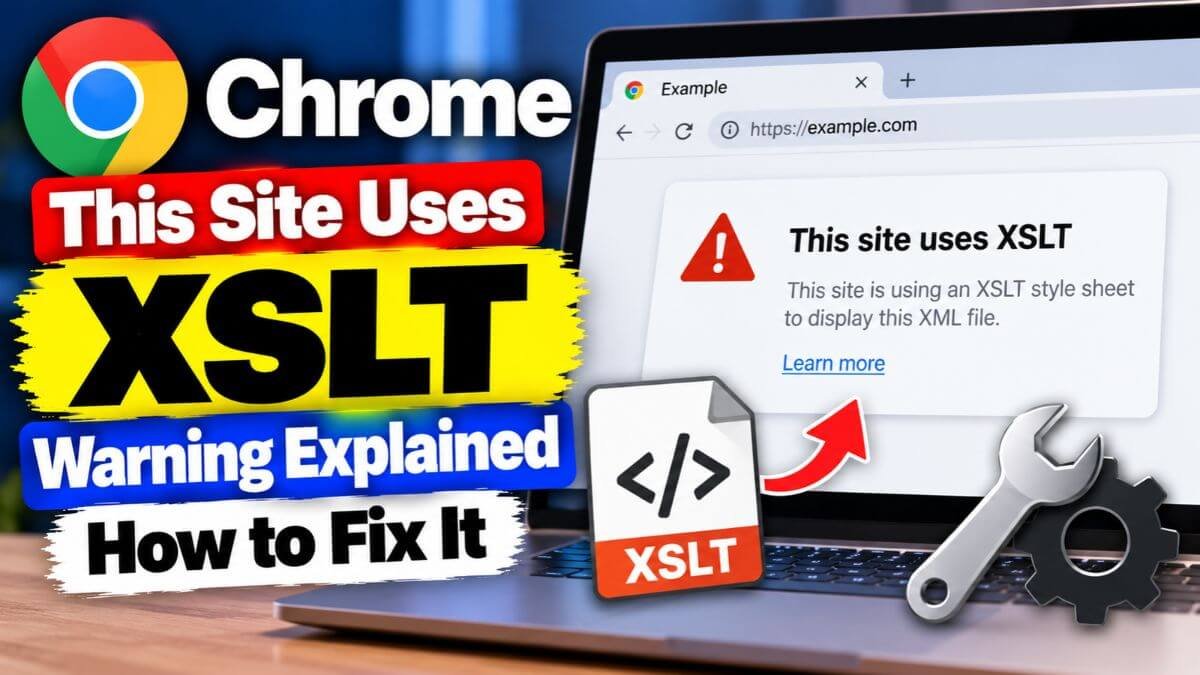
If Chrome shows “This site uses XSLT; that functionality is being removed from this browser very soon,” the page you opened uses a stylesheet technology called XSLT that Chrome is about to turn off. Chrome 158 stops running XSLT on stable on November 17, 2026. The page will most likely show raw XML code instead of a neat table. Your website itself, your sitemap file and your RSS data are not deleted, and search engines can still read them. Only the styled view in the browser breaks. This guide explains the warning, who is affected and how to fix it.
Quick answer
- What the warning means: the XML page you opened (often a sitemap or an RSS feed) uses an XSL stylesheet, and Chrome will stop applying it.
- When: Chrome 158, on November 17, 2026.
- What breaks: the styled, human-readable view of XML pages. Visitors see raw XML or Chrome’s plain XML viewer.
- What does not break: your normal web pages, the XML files themselves, feed readers, and search engine crawlers reading your sitemap.
- For visitors: install an XSLT polyfill extension if you need the styled page, or view the page source.
- For site owners: remove the stylesheet line, update your SEO plugin or CMS, or serve an HTML version.
- Escape hatches end: the origin trial and the enterprise policy stop working in Chrome 176 on August 17, 2027.
What is XSLT?
XSLT (Extensible Stylesheet Language Transformations) is an old web technology that turns XML data into a web page. A site adds a line such as <?xml-stylesheet type="text/xsl" href="style.xsl"?> to an XML file, and the browser uses the stylesheet to show the data as a formatted page.
Today it is mostly used for:
- XML sitemaps that show as a table (WordPress and many SEO plugins add this)
- RSS and Atom feeds that show as a styled page
- Old government, finance and invoice systems that show XML reports in the browser
- A JavaScript API called XSLTProcessor, used by some older web apps
XSLT is not the same as the XML file itself, and it is not the same as XSLT run on a server, which is not affected.
Why is Chrome removing XSLT?
Chrome’s own documentation gives two main reasons:
- Security. The XSLT code in the browser has a history of memory-safety vulnerabilities, and the browser team prefers to invest in the JavaScript engine that nearly all web developers use.
- Very low use. Chrome says only about 0.02% of page loads use XSLT, and less than 0.001% use the XSLT processing instruction.
Chrome XSLT removal timeline
| Chrome version | Date | What happens |
|---|---|---|
| 142 | October 28, 2025 | Early warning messages appear in the console |
| 143 | December 2, 2025 | Official deprecation; warnings in the console and Lighthouse |
| 146 | March 10, 2026 | Enterprise policy available for testing |
| 152 | August 25, 2026 | Origin trial opens |
| 154 | September 22, 2026 | WebView Canary, Dev and Beta start disabling XSLT |
| 158 | November 17, 2026 | XSLT stops working on stable Chrome |
| 176 | August 17, 2027 | Origin trial and enterprise policy end; XSLT is off for everyone |
Other browsers: reports say Mozilla filed an intent to unship XSLT on August 26, 2026 with a plan to turn it off in August 2027, in line with Chromium. Chromium-based browsers such as Edge, Brave and Opera usually follow Chrome’s changes, but check each browser’s release notes.
What will break and what will not
| Item | After November 17, 2026 |
|---|---|
| XML sitemap with an XSL stylesheet (WordPress core, many SEO plugins) | Humans see raw XML or a plain XML tree. Crawlers are not affected |
| RSS or Atom feed with an XSL stylesheet | Opened in a browser, it shows raw XML. Feed readers still work |
Apps that call XSLTProcessor in JavaScript | They will throw an error and need a rewrite |
| XML reports and invoices styled with XSLT in the browser | They show as raw XML |
| XSLT done on the server (PHP XSLTProcessor, xsltproc, Saxon, Java) | Not affected |
| XML styled with CSS | Not affected; Chrome says XML with CSS is not being removed |
| Normal HTML pages | Not affected |
Does this affect your SEO?
Usually no. Search engine crawlers read the XML file directly and ignore the stylesheet, so your sitemap keeps working. Still, do these checks:
- Open your sitemap URL in Google Search Console and confirm it is still read successfully.
- Make sure your XML sitemap and RSS feed return HTTP 200 and valid XML.
- If you tell people to view your sitemap in a browser, update that guidance.
How to check if your website uses XSLT
- Open your sitemap and feed URLs, for example /sitemap.xml, /sitemap_index.xml, /wp-sitemap.xml and /feed/.
- Right-click and choose View page source, or press Ctrl+U.
- Look near the top for a line that starts with
<?xml-stylesheet. - If the line points to a file ending in
.xslor.xslt, the page uses XSLT. - In your site code, search for
xml-stylesheet,XSLTProcessorand.xsl. - Open Chrome DevTools and check the Console and Lighthouse for deprecation warnings.
If you see the Chrome warning on your own site, that is also a sign that a page, usually a sitemap, uses XSLT.
How to fix it: options for site owners
| Option | Best for | Effort |
|---|---|---|
| Remove the stylesheet line | Sitemaps and feeds you do not need to look pretty | Low |
| Update your SEO plugin or CMS | WordPress and other CMS sites | Low |
| Style the XML with CSS instead | You still want a styled view | Medium |
| Serve an HTML version | Human-friendly sitemaps or feed pages | Medium |
| Convert on the server | Reports, invoices, apps | Medium to high |
| Use a JavaScript or WebAssembly XSLT library | Apps that must keep XSLT in the browser | Medium |
| Origin trial | Short-term delay only | Low, but ends August 2027 |
WordPress sites
WordPress core adds an XSL stylesheet to its built-in sitemap (wp-sitemap.xml), and some SEO plugins add their own. A core ticket (#65593) and a pull request exist to remove the sitemap stylesheet, but check your WordPress version before relying on it. Do this:
- Update WordPress and your SEO plugin (Yoast, Rank Math, All in One SEO and others). Read the changelogs for notes on XML sitemap stylesheets.
- Check your sitemap source in the browser as shown above after updating.
- If the stylesheet is still there, you can remove it with a small snippet in a code-snippets plugin or your child theme’s functions.php. Test on a staging copy first, because filter names can change between versions:
// WordPress core sitemaps
add_filter( 'wp_sitemaps_stylesheet_url', '__return_empty_string' );
add_filter( 'wp_sitemaps_stylesheet_index_url', '__return_empty_string' );

// Yoast SEO sitemaps
add_filter( 'wpseo_stylesheet_url', '__return_empty_string' );- Clear caches and recheck the sitemap in Search Console.
Back up your site before editing any code. If your hosting plan makes this hard, our guide to the best web hosting in India can help you pick a host with a staging feature.
Static sites and custom apps
- Remove or replace the
<?xml-stylesheet ... ?>line in your sitemap and feed templates. - Generate an HTML page for human readers at a separate URL, and link to the raw XML for machines.
- Move the transformation to the server or build step, using PHP, Node, Python or Java, and send the finished HTML to the browser.
- Replace
XSLTProcessorcalls with JavaScript that reads the XML and builds the page, or use a library that implements XSLT in JavaScript.
For RSS feeds
Feed readers and podcast apps do not use your stylesheet, so they keep working. If you want people to see a friendly page when they click your feed link, add a normal HTML page that explains how to subscribe, and use <link rel="alternate" type="application/rss+xml"> in your site’s HTML so browsers and readers can find the feed.
What visitors can do?
If you just want to view a styled XML page after November 17, 2026:
- Install an XSLT polyfill extension from the Chrome Web Store. These extensions apply the stylesheet themselves using WebAssembly. Check the developer, reviews and permissions before installing, and only enable it on sites you trust.
- View the page source (Ctrl+U) to read the XML directly.
- Use another tool, such as a feed reader for RSS or a text editor for XML.
- Ask the website owner to update the page.
Extensions can read the pages you visit, so install only one you trust.
What about enterprises?
From Chrome 146, an enterprise policy (XSLTEnabled) lets organisations keep XSLT working for their users, and the origin trial lets individual sites opt in from Chrome 152. Both stop working in Chrome 176 on August 17, 2027, so they only buy time. Plan a real migration.
Checklist for the week before November 17
- List every XML URL your site serves (sitemaps, feeds, reports).
- Check each for
<?xml-stylesheetin the page source. - Update WordPress, your theme and SEO plugins.
- Remove or replace stylesheets you do not need.
- Confirm your sitemap still loads in Google Search Console.
- Test in Chrome Beta or Canary, where XSLT is already disabled.
- Tell your team and customers what to expect.
- Plan a full migration if an app depends on
XSLTProcessor.
Related reading
Keep your site healthy with our guides on how to check if your PHP website was hacked, PHP2Shell vulnerabilities, WordPress plugins for your website and free website builders.
FAQs
What does “This site uses XSLT” mean in Chrome? It means the page uses XSLT to style XML, and Chrome is about to remove support for it. After removal, the page will likely show raw XML.
When does Chrome remove XSLT? Chrome 158 stops running XSLT on stable on November 17, 2026. The origin trial and enterprise policy end with Chrome 176 on August 17, 2027.
Will my website stop working? No. Normal web pages are not affected. Only XML pages that rely on an XSL stylesheet will lose their styled view.
Will my XML sitemap still work for Google? Yes. Search engines read the XML file directly. Only the human-friendly browser view is affected. Check Search Console to be safe.
Will my RSS feed stop working? No. Feed readers and podcast apps keep working. Only a styled view in the browser breaks.
How do I fix the XSLT warning on my WordPress site? Update WordPress and your SEO plugin, check your sitemap source for xml-stylesheet, and remove the stylesheet if it remains. Test changes on a staging copy first.
Can I keep using XSLT in Chrome after November 2026? Only temporarily, through the origin trial or enterprise policy, until August 17, 2027. After that, XSLT is off for everyone.
Is XSLT on the server affected? No. Server-side XSLT such as PHP’s XSLTProcessor, xsltproc, Saxon or Java is not affected.
Will Firefox and Safari also remove XSLT? Reports say Mozilla plans to disable it in August 2027. Apple has not announced a removal in the sources we checked. Confirm on each vendor’s release notes.
Does this affect Edge, Brave and Opera? They are based on Chromium and usually follow Chrome’s changes, but check each browser’s release notes.
Conclusion
The “This site uses XSLT” warning is Chrome’s notice that styled XML pages will stop rendering on November 17, 2026. Most websites only lose a decorative sitemap or feed view, and search engines are not affected. Check your XML URLs, update your plugins, remove or replace stylesheets and plan a proper fix before the August 2027 deadline if you rely on XSLT in the browser.
Dates and details were checked on October 29, 2026 against Chrome for Developers and recent developer guides. Browser plans can change, so confirm on Chrome’s official XSLT deprecation page before you act.