

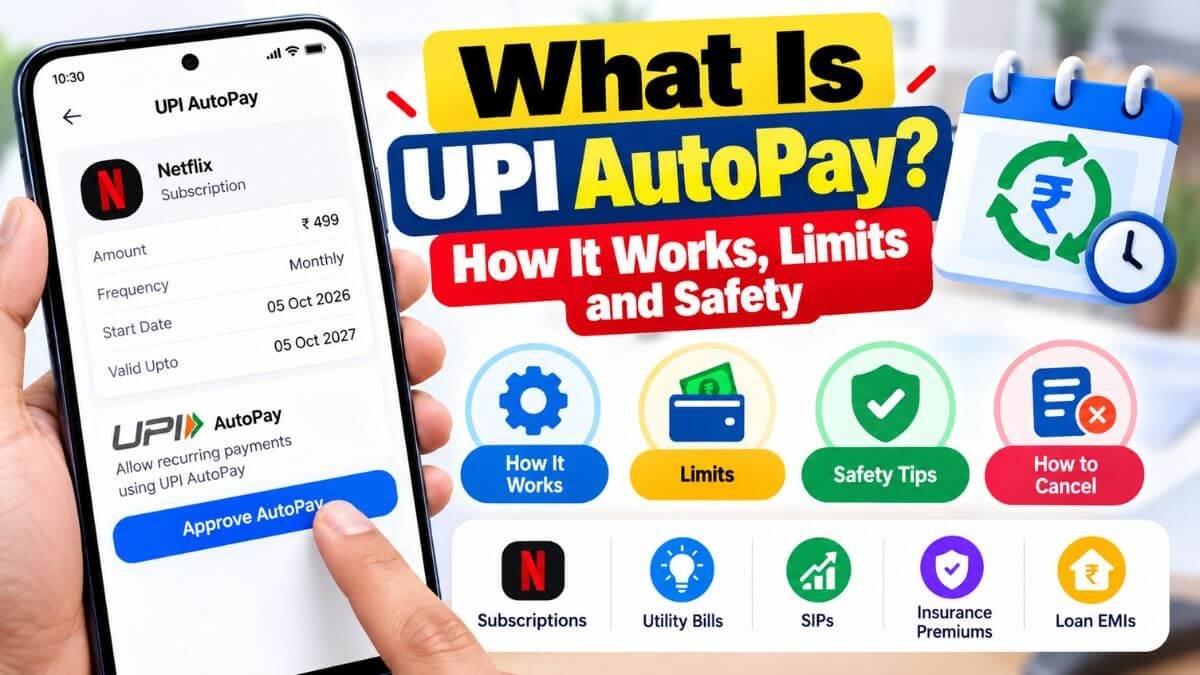
UPI AutoPay lets you approve a recurring payment once, and then a merchant collects it from your bank account on schedule. It is used for subscriptions, bills, SIPs, insurance premiums and some loan EMIs. This guide explains how it works, what the limits are, and how to stay in control.
Quick answer
- UPI AutoPay is a recurring-payment mandate that you approve in a UPI app with your UPI PIN.
- Recurring debits of up to ₹15,000 per transaction can go through without extra authentication. Some categories, such as mutual fund SIPs, insurance premiums and credit card bills, allow up to ₹1 lakh.
- You should get a notification at least 24 hours before each debit.
- You can pause or cancel a mandate at any time from your UPI app.
How UPI AutoPay works
- At the merchant’s app or website, choose UPI AutoPay as the payment method and enter your UPI ID.
- A mandate request appears in your UPI app, such as Google Pay, PhonePe, Paytm or BHIM.
- Check the merchant name, the maximum amount, the frequency and the end date.
- Approve it with your UPI PIN. The mandate is now active.
- On each due date, the merchant collects the amount within the limit you approved, and you get a notification before and after the debit.
What you approve in a mandate
- The merchant who can collect the payment
- The maximum amount per debit
- How often it can be collected (weekly, monthly, yearly or as needed)
- The start and end dates
- The bank account the money is taken from
Limits and rules at a glance
| Rule | What it means |
|---|---|
| Registration | Needs your UPI PIN when you set up the mandate |
| Standard limit | Up to ₹15,000 per debit without extra authentication |
| Higher limit | Up to ₹1 lakh for certain categories, such as mutual fund SIPs, insurance premiums and credit card bills |
| Above the limit | Needs your approval for each debit |
| Pre-debit notification | Sent at least 24 hours before each debit |
| Cancelling | You can pause or revoke the mandate anytime in your UPI app |
These limits follow the RBI’s rules for recurring e-mandates and may change. Check the latest RBI guidelines before relying on any limit.
What is UPI AutoPay used for?
- OTT and app subscriptions
- Mobile, electricity and other utility bills
- Mutual fund SIPs and insurance premiums
- Credit card bill payments
- Loan EMIs set up by lenders
Is UPI AutoPay safe?
It is consent-based: nothing can be collected unless you approve a mandate, and each debit has a limit and a notification. The common problems are not hacking but forgotten mandates, limits set too high, and fake requests. To stay safe:
- Read every request before you enter your PIN: merchant name, amount and frequency.
- Set a sensible maximum. If your bill is ₹5,000, avoid approving a mandate for a much larger amount.
- Never approve a request you did not start. Your UPI PIN is only for sending money or approving a mandate, never for receiving money.
- Keep SMS and app notifications on, so you see the 24-hour alert and can cancel in time.
- Review your mandates every few months and cancel the ones you no longer use. For more safety tips, read how to keep your personal and financial information safe on UPI apps.
How to see and manage your mandates
Open your UPI app and look for Autopay, Mandates or Recurring payments. There you can see each mandate, pause it or cancel it. Menu names differ between apps. See our step-by-step guides for how to cancel Google Pay autopay and how to cancel UPI AutoPay on PhonePe and Paytm.
FAQs
Can money be taken from my account without my knowledge?
Only within the mandate you approved, and you should receive a notification at least 24 hours before each debit. If you see a debit you did not approve, contact the merchant and your bank right away.
Can the amount change every month?
Yes. Variable bills, such as electricity, can be collected up to the maximum amount you approved.
What happens if my balance is low on the due date?
The debit fails, and the service may stop or the merchant may retry. For loan EMIs, a failed debit can lead to charges and affect your credit score.
Is UPI AutoPay the same as NACH?
No. UPI AutoPay is set up inside your UPI app with your UPI PIN. NACH or eNACH mandates are set up through your bank, for example with net banking or a debit card.
Does cancelling a mandate cancel the service or loan?
Not necessarily. It only stops the automatic deduction. Cancel the subscription separately in the merchant’s app, and for a loan, you still have to pay your EMIs another way.
This article is for general information. Rules, limits and app screens can change.